Building Repeatable Project Processes With Templates
Building repeatable project processes with templates mean creating standardized, reusable frameworks for common projects, tasks, or documents to save time, ensure consistency, reduce errors, and speed up planning.
Key Takeaways On Building Repeatable Project Processes
- Project templates can save up to 70% of setup time on recurring workflows, allowing teams to focus on execution rather than planning.
- Effective templates include clear task dependencies, role assignments, and integrated checklists to maintain consistency across projects.
- The most successful organizations maintain a balance between standardized processes and flexibility for project-specific adaptations.
- Templates dramatically reduce onboarding time for new team members by providing clear, repeatable processes for common project types.
- Implementing structured templates leads to fewer errors, improved team communication, and more predictable project outcomes.
Stop reinventing the wheel with every new project. Whether you’re managing client work, internal initiatives, or cross-departmental collaborations, repeatable processes are your ticket to consistency and efficiency. Performance scoring template systems have shown that structured approaches can reduce project setup time by up to 70%, allowing your team to focus on execution rather than planning.
Most project managers spend countless hours recreating workflows they’ve built dozens of times before. This not only wastes valuable resources but introduces inconsistency and human error into your processes. The solution? Well-designed repeatable project processes with templates that capture your best practices and make them implementable across your organization.
Why Your Projects Keep Reinventing the Wheel (And What It Costs You)
Project managers often fall into the trap of starting from scratch with each new initiative. Without standardized templates, teams waste valuable time recreating workflows, task lists, and timelines they’ve built dozens of times before. This repetitive setup work doesn’t just eat into your schedule—it introduces inconsistency into your processes and leaves room for critical tasks to fall through the cracks. Consider using project template libraries to streamline your workflow and ensure consistency.
The costs of reinventing processes extend beyond wasted time. When team members approach similar projects differently, knowledge transfer becomes challenging, quality varies wildly, and clients experience inconsistent service. According to project management research, organizations without standardized templates spend up to 40% more time in the planning phase and experience 35% more missed deadlines than those with established process templates.
“We were spending 8-10 hours setting up each new client project until we implemented standardized templates. Now it takes less than 2 hours, and our error rate has dropped by 64%.” — Sarah Jenkins, Operations Director
New team members suffer most in template-free environments. Without clear, documented processes to follow, onboarding stretches from days to weeks as new hires struggle to understand “how things are done around here.” This learning curve delays productivity and puts unnecessary strain on senior team members who must repeatedly explain processes that could be templated.

Project Templates: The Secret Weapon for Consistent Results
Project templates transform your hard-won experience into reusable assets. Rather than starting with a blank slate, templates provide pre-built frameworks for common project types, complete with task sequences, dependencies, role assignments, and timelines. They capture your organization’s best practices and make them available for consistent implementation across projects and teams.
The most effective templates strike a careful balance between structure and flexibility. They standardize the predictable elements of your workflow while leaving room for project-specific adaptations. This hybrid approach ensures consistency where it matters while allowing your team to respond to unique client needs or project requirements.
What Makes an Effective Project Template
Effective project templates go beyond simple task lists. They embody complete workflows with clear dependencies, role definitions, and communication protocols. The best templates anticipate common obstacles and include pre-emptive solutions, drawing on your team’s collective experience to avoid repeating past mistakes.
Clarity is paramount in template design. Each task description should be specific enough that any team member can understand what’s required without additional explanation. Time estimates should be realistic, based on historical project data rather than optimistic guesses. Dependencies between tasks should be explicit, creating a logical flow that prevents bottlenecks and ensures smooth handoffs between team members.
Core Components Every Template Should Include
- Project phases and milestones that create a clear roadmap from initiation to completion
- Task breakdowns with detailed descriptions, estimated durations, and priority levels
- Role assignments and RACI matrices clarifying who’s responsible for each component
- Dependencies and sequences showing which tasks must be completed before others can begin
- Standard documentation including checklists, file structures, and naming conventions
- Communication protocols specifying when and how to share updates or escalate issues
- Quality control checkpoints to verify deliverables meet standards before proceeding
The Difference Between Rigid and Flexible Templates
Template rigidity exists on a spectrum. At one extreme, inflexible templates dictate every detail of a project, leaving no room for adaptation. While these highly prescriptive templates ensure absolute consistency, they can stifle innovation and prevent teams from responding to unique project needs. At the opposite end, overly flexible templates provide minimal guidance, defeating the purpose of standardization.
5 Types of Essential Project Templates You Need Today
The most efficient organizations maintain libraries of templates tailored to their common project types. Rather than creating a single, all-purpose template, develop specialized frameworks for different project categories. This targeted approach ensures each template contains exactly what’s needed without unnecessary complexity.
While your specific needs may vary based on industry and organization, five core template types provide a foundation for most project-driven businesses. Each addresses a distinct workflow pattern that occurs repeatedly across teams and clients. By mastering these essential templates, you’ll eliminate significant redundancy in your project management processes.
1. Client Onboarding Templates
First impressions matter, and nowhere is this more evident than during client onboarding. A comprehensive onboarding template ensures you collect all necessary information, set appropriate expectations, and begin the relationship with organized professionalism. The template should guide both internal team members and clients through the process, from initial agreements to kickoff meetings.
Strong onboarding templates include welcome packets, access setup protocols, information gathering questionnaires, and milestone-based progress tracking. They should outline clear timelines for when clients can expect different phases to begin and end, reducing uncertainty and building confidence in your process. Include checkpoints to verify all stakeholders have necessary system access and understand communication channels before project work begins in earnest.
2. Marketing Campaign Templates
Marketing campaigns involve numerous interconnected tasks across multiple channels and team members. Campaign templates break these complex projects into manageable phases: strategy, content creation, review cycles, distribution, and performance analysis. Each phase should include detailed task breakdowns with appropriate time buffers for client feedback and revisions.
Effective marketing templates incorporate approval workflows to ensure all content receives necessary sign-offs before publication. They should include placeholder tasks for campaign-specific deliverables while maintaining consistent quality control processes regardless of campaign type or scale. The best templates also integrate performance tracking methods directly into the workflow, ensuring metrics are collected and analyzed systematically.
3. Quarterly Report Templates
Recurring reporting cycles benefit tremendously from templatized processes. Quarterly report templates standardize data collection methods, analysis frameworks, and presentation formats. They ensure consistent metrics are tracked period-over-period, making performance trends easier to identify and communicate to stakeholders.
Comprehensive reporting templates include data gathering assignments for different team members, analysis tasks with standardized methodologies, and review cycles for accuracy verification before presentation. They should specify exactly what information to collect, how to format it, and which comparisons to highlight. Include preparation tasks for stakeholder meetings and follow-up protocols to address questions or concerns after presentation.
4. Project Kickoff Templates
Project kickoffs set the tone for the entire engagement. A well-structured kickoff template ensures all critical foundations are established before execution begins. This includes clarifying objectives, defining success metrics, establishing communication protocols, and confirming resource availability.
Kickoff templates should include agenda items for initial meetings, documentation requirements for project charters, and tasks for establishing project management tools and access. Include explicit steps for stakeholder identification and RACI matrix development. The template should conclude with clear approval milestones where all parties confirm alignment on scope, timeline, and deliverables before proceeding to execution phases.
5. Task Handoff Templates
Smooth handoffs between team members or departments prevent bottlenecks and miscommunication. Task handoff templates standardize the transition process, ensuring the receiving party has all information needed to continue work without delays or rework. These templates are particularly valuable for cross-functional projects where work moves between specialized teams.
Effective handoff templates include checklists for deliverable completeness, quality verification steps, and explicit acceptance criteria. They should specify documentation requirements and file organization standards to maintain consistency. Include communication protocols for clarifying questions and feedback loops to address issues discovered after the handoff.
Building Your First Template From Scratch
Creating effective templates begins with analyzing your existing workflows to identify patterns and best practices. Start by examining 3-5 successful projects with similar objectives. What steps were common across all of them? Which sequence produced the best results? Document the shared elements that contributed to positive outcomes while noting which variations proved beneficial in specific contexts.
Identifying Repeatable Processes in Your Workflow
The best candidates for repeatable project processes with templates. are those you perform frequently with minimal variation. Look for recurring patterns in your project history—client onboarding sequences, content development cycles, product launches, or reporting processes. These high-frequency activities offer the greatest return on your templating investment. Pay special attention to processes where mistakes commonly occur or where quality varies significantly between implementations, as these areas will benefit most from standardization.
Structuring Tasks for Maximum Efficiency
Organize tasks into logical groups that reflect distinct phases or workstreams. Each task should represent a single, clearly defined action with a tangible outcome or deliverable. Avoid vague tasks like “prepare materials” in favor of specific actions such as “create client questionnaire” or “develop project timeline spreadsheet.” This specificity eliminates ambiguity and helps team members understand exactly what’s expected. For complex tasks, consider adding subtasks or checklists that break the work into manageable components while maintaining the higher-level structure.
Setting Smart Due Dates and Dependencies
Due dates in templates should reflect relative timeframes rather than specific calendar dates. For example, “Day 5 after kickoff” rather than “January 15th.” This approach allows the template to adapt to different start dates while maintaining the proper sequence and timing relationships. Dependencies are equally important—clearly mark which tasks must be completed before others can begin. These relationships create the critical path through your project and help prevent bottlenecks where team members wait for prerequisites to be completed.
Assigning Roles and Responsibilities
Templates should define role-based responsibilities rather than assigning specific individuals. Use job functions or team designations (e.g., “Designer,” “Content Strategist,” “Project Manager”) to indicate who handles each task. This approach allows the template to function regardless of which specific team members are assigned to the project. For complex projects, incorporate RACI matrices (Responsible, Accountable, Consulted, Informed) directly into your templates to clarify decision-making authority and communication requirements for key deliverables.
Include stakeholder touchpoints throughout your templates to ensure appropriate oversight and feedback at critical junctures. These checkpoints should specify which stakeholders need to be involved, what information they need to review, and how their input will be incorporated. Building these engagement points into your templates prevents the common problem of stakeholder surprises late in the project lifecycle.
After drafting your template structure, validate it with experienced team members before implementation. Ask colleagues who regularly execute these processes to review the template for completeness, logical flow, and realistic time allocation. Their practical insights will help identify gaps or unrealistic expectations before the template is put into production use.
Template Implementation That Actually Works
Even the most perfectly designed template will fail without proper implementation. Successful template adoption requires thoughtful rollout planning, team engagement, and ongoing reinforcement. Treat template implementation as a change management initiative rather than simply distributing new documentation. Start with a pilot project to test the template in real conditions, gather feedback, and refine before wider deployment.
When and How to Update Your Templates
Templates aren’t static documents—they should evolve as your processes improve and business needs change. Schedule quarterly template reviews to evaluate performance and gather team feedback. The most successful organizations update their templates after completing major projects, capturing lessons learned while the experience is still fresh. Watch for recurring feedback patterns that suggest specific template elements need adjustment, and pay special attention to tasks that consistently take longer than estimated.
Template Version Control Best Practices
Maintaining version control prevents confusion and ensures everyone uses current templates. Implement a clear naming convention that includes version numbers and last update dates (e.g., “Client_Onboarding_v2.3_2023-06-15”). Store templates in a centralized repository with restricted editing permissions, requiring approval for changes to prevent unauthorized modifications.
Document all template changes in a revision history that explains what was modified, why it was changed, and who authorized the update. This audit trail provides context for template evolution and helps teams understand the rationale behind process adjustments. When implementing significant template updates, communicate changes to all affected teams with clear explanations of what’s different and how it impacts their workflow.
Measuring the Impact of Your Project Templates
Quantifying template benefits builds support for continued process refinement and demonstrates ROI to leadership. Establish baseline measurements before template implementation, then track key metrics over time to demonstrate impact. Most organizations see improvements in three primary areas: time efficiency, quality consistency, and team satisfaction. These metrics tell a compelling story about how templates transform chaotic workflows into predictable, manageable processes.
Time Savings Metrics
Track setup time reduction by comparing hours spent planning similar projects before and after template implementation. Many organizations report 40-70% decreases in project initialization time. Monitor deadline performance to see how templates affect on-time delivery rates—well-designed templates typically improve on-time completion by eliminating common delays and bottlenecks. Also measure response time for client requests and internal questions, which often improves as templates create clearer expectations and processes for handling routine situations.
Quality and Consistency Improvements
Evaluate error reduction by tracking issues that require rework or client escalation. Templates typically reduce these incidents by ensuring critical steps aren’t overlooked. Document consistency across deliverables often improves dramatically with templated approaches, creating a more cohesive brand experience. Many organizations implement quality scoring systems to measure deliverable standards before and after template adoption, showing how standardization elevates overall output quality.
Customer satisfaction metrics provide external validation of template effectiveness. When processes run more smoothly internally, clients experience better service consistency and fewer surprises. Track Net Promoter Scores or client satisfaction ratings across similar projects to see how template implementation affects external perceptions of your work. Many organizations see these scores improve as templates help teams deliver more consistent, reliable experiences.
Team Satisfaction and Reduced Burnout
Templates significantly reduce cognitive load on team members by eliminating constant decision-making about process and structure. This mental energy savings translates to higher job satisfaction and reduced burnout. Measure template impact through team surveys focusing on process clarity, workload manageability, and role clarity. Track how templates affect onboarding time for new team members, who typically become productive 30-50% faster when clear process templates guide their work. Additionally, monitor after-hours work and weekend emails, which often decrease as templates create more predictable workflows that fit within standard business hours.
Template Your Way to Project Management Excellence
The journey to template-driven project management doesn’t happen overnight, but the rewards compound with each successful implementation. Start small with your highest-value, most repeatable processes, then expand as your team experiences the benefits of standardization. Remember that the goal isn’t rigid conformity but thoughtful consistency that elevates your work quality while reducing unnecessary cognitive load. By investing in well-designed, flexible templates, you’re not just saving time—you’re creating a foundation for continuous improvement that scales with your organization. The most successful teams use templates as living documents that capture collective wisdom and evolve with each project, turning individual expertise into organizational capability.
Frequently Asked Questions On Building Repeatable Project Processes
As you implement project templates across your organization, team members will naturally have questions about best practices and applications. Below are answers to the most common questions that arise during template adoption. These insights help teams overcome initial resistance and maximize the benefits of standardized processes. Many of these questions reflect underlying concerns about balancing structure with flexibility.
How much time does creating a project template initially take?
Template Creation Time Investment
Simple process template: 2-4 hours
Complex workflow template: 8-16 hours
Enterprise-wide template system: 40-80 hours
Annual maintenance per template: 1-2 hours
Initial template creation requires an upfront investment of time that pays dividends on every subsequent use. For a simple project template with 15-20 tasks, expect to spend 2-4 hours documenting the process, defining dependencies, and setting role assignments. More complex templates with multiple phases and stakeholders may require 8-16 hours of development time, including team reviews and refinement.
This investment quickly pays off—organizations typically recoup template development time after just 2-3 implementations. A template that saves two hours of planning per project will deliver positive ROI after only a handful of uses. The efficiency compounds over time as templates are refined based on real-world application, becoming increasingly valuable assets.
Can project templates work for creative or non-standard projects?
Creative projects benefit tremendously from thoughtfully designed templates that standardize administrative elements while preserving creative flexibility. The key is understanding which aspects need structure and which require open space for innovation. Even the most creative projects involve predictable components like client approvals, revision cycles, and delivery formats that benefit from standardization.
“Our creative team initially resisted templates, fearing they would stifle originality. We started by templating just the project management aspects—timelines, approval processes, file structures—while leaving creative approaches unconstrained. Team members quickly embraced these frameworks when they realized templates freed up mental energy for creative work rather than administrative details.” — Michael Chen, Creative Director
For highly variable projects, create “shell templates” that structure the consistent elements while providing placeholders for unique components. These frameworks might standardize project phases, stakeholder touchpoints, and documentation requirements while allowing flexibility in specific deliverables and approaches. Many creative teams find that having structured processes for routine elements actually enhances creativity by reducing decision fatigue and creating clear boundaries for innovative work.
What’s the best way to customize templates for different clients?
Build templates with explicit customization points that are easily adjusted for different client needs. Create a core template structure with consistent elements that remain unchanged, then designate specific sections that require client-specific adaptation. This modular approach maintains process integrity while accommodating unique client requirements. Many organizations develop client parameter checklists that guide project managers through the customization process, ensuring all necessary adjustments are considered.
Client-specific variations should be documented as template branches rather than creating entirely new templates for each client. Store these variations with clear client identifiers and maintain connections to the master template so improvements to the core process automatically propagate to client-specific versions. This approach prevents template proliferation while preserving client customizations. When onboarding new clients, start with the template version most similar to their needs, then adjust specific elements rather than building from scratch.
Consider creating template tiers based on client complexity or service level. A basic, standard, and premium template structure allows you to match process depth to client needs and budget. Each tier would include the same fundamental workflow but with varying levels of detail, review cycles, or deliverables. This tiered approach creates natural starting points for customization while maintaining consistent underlying processes across all client engagements.
Should I create different templates for small vs. large projects?
- Project scale affects complexity, stakeholder involvement, and risk management requirements
- Size-appropriate templates prevent overwhelming small projects with unnecessary steps
- Scale-specific templates can better address appropriate governance and reporting needs
- Different team structures between small and large projects require different coordination processes
Project scale significantly impacts process requirements. While the fundamental workflow might remain consistent, large projects typically require additional governance, more extensive documentation, and more frequent stakeholder engagement. Creating scale-appropriate templates ensures small projects aren’t burdened with unnecessary overhead while large projects receive adequate structure and oversight. Many organizations develop template families with small, medium, and large variants of the same basic process.
Consider modularity when addressing project scale. Create a core template with essential elements all projects require, then develop optional modules for complexity factors like multi-department coordination, external vendor management, or extended timeline management. This approach allows project managers to assemble appropriate process frameworks based on specific project characteristics without maintaining entirely separate templates for different scales.
How do I prevent templates from becoming outdated?
Establish a formal template review cycle with scheduled evaluation dates on your team calendar. Quarterly reviews work well for most organizations, with more frequent checks during periods of rapid process evolution. Assign specific template owners responsible for gathering feedback and implementing updates. These owners should actively solicit input from users rather than waiting for complaints, creating a continuous improvement mindset around template maintenance.
Implement a feedback mechanism directly within your project management system where team members can flag template issues as they arise. This real-time input captures improvement opportunities before they’re forgotten and demonstrates that leadership values process refinement. Consider using a simple rating system where team members score template effectiveness after each use, triggering reviews when ratings drop below established thresholds.
Templates should include built-in adaptation prompts that encourage teams to evaluate process fit at key project stages. These checkpoints ask whether the current template structure is serving the project effectively and what adjustments might improve outcomes. Documenting these mid-project insights creates valuable input for template evolution and helps teams develop critical process thinking skills.
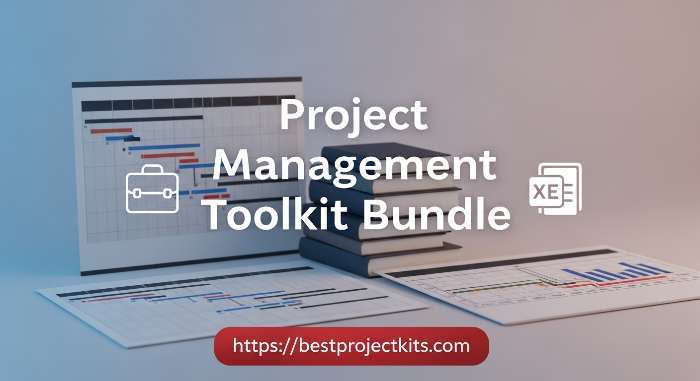
You’ve optimized your process — now equip it with the right documentation backbone. The Project Management Toolkit Bundle adapts to IT, marketing, construction, and more, All For $147. Early special pricing access could end soon.
===========================================================================
ABOUT THE AUTHOR
Gerard Mohamed is a project management expert with over 30 years of hands-on experience managing high-stakes projects in the petrochemical and marine engineering sectors.
He holds an MBA from Business School Netherlands and a BCom (Hons) with dual majors in Project Management and Advanced Marketing. As a qualified Marine Engineer, Gerard serves as Chairman of the Cape Branch of the South African Institute of Marine Engineers and Naval Architects (SAIMENA) and sits on their National Executive Committee.
Gerard is a fully accredited Facilitator and Assessor for Project Management under South Africa’s SETA and QCTO, and teaches Project Management part-time at two leading business colleges.
After decades of struggling to find practical, field-tested project templates, he created BestProjectKits.com — a comprehensive library of 3,500+ professionally designed templates that solve real-world project challenges across 20+ industries.
→ Explore the complete template library at BestProjectKits.com
→ Connect with Gerard: [admin@bestprojectkits.com]
=========================================================================