
Customizable Project Planning Templates For Beginners
The best customizable project planning templates for beginners includes free project plan templates in Excel, Microsoft Word, and Google Sheets formats that encompasses, Gantt charts and Work Break Down structures as a minimum.
Key Takeaways On Customizable Project Planning Templates
- Project planning templates significantly reduce the learning curve for beginners by providing pre-built structures that ensure no critical elements are missed.
- The five essential template types every beginner should have include Gantt charts, task breakdowns, budget tracking, risk assessment, and team communication templates.
- Starting with only the necessary template sections prevents overwhelm while still maintaining project organization and clarity.
- Customizing templates based on project size, industry, and available resources leads to more efficient and relevant planning outcomes.
- BestProjectKits offers specialized project planning solutions that help beginners transition from basic templates to more sophisticated project management approaches as their skills develop.
Project planning can feel like trying to build a house without a blueprint. You know you need a solid foundation, walls, and a roof, but where do you start? That’s where customizable project planning templates become your best ally.
As someone who’s guided countless teams through their first projects, I’ve seen how the right template can transform confusion into clarity. Customizable project planning templates aren’t just organizational tools—they’re confidence builders that give beginners a structured path to follow.
Why Beginners Struggle with Project Planning (And How Templates Solve This)
The blank page problem hits project planning beginners harder than most. Starting from nothing means you don’t know what you don’t know—missing critical planning elements becomes almost inevitable. Many new project managers either overcomplicate their plans with unnecessary details or create dangerously simplified versions that lack crucial components.
Templates solve these problems by providing a pre-built structure that ensures all essential elements are included. They offer guardrails that keep beginners from veering off track while still allowing for creativity and customization where it matters. This structured flexibility is exactly what newcomers need to build confidence without feeling restricted.
Most importantly, templates dramatically reduce the learning curve. Instead of spending weeks researching project management methodologies, you can immediately start planning with best practices already built in. This means more time focusing on your actual project goals rather than getting lost in planning theory.
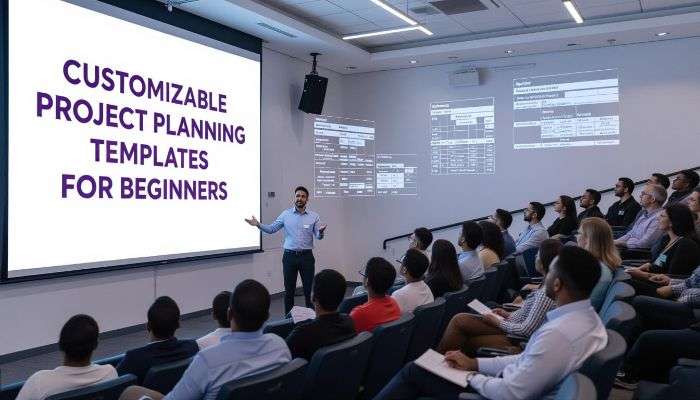
5 Essential Types of Customizable Project Planning Templates Every Beginner Needs
Not all project templates serve the same purpose. As you build your planning toolkit, these five template types will cover virtually every planning need you’ll encounter as a beginner:
1. Simple Gantt Chart Templates
Gantt charts visually represent your project timeline, showing tasks alongside their duration and dependencies. For beginners, simplified Gantt templates strip away the complexity while retaining the power to visualize project flow. The best beginner-friendly Gantt templates highlight task overlaps and dependencies without requiring specialized software knowledge. Look for templates with color-coding capabilities to quickly identify task categories, team assignments, or priority levels at a glance.
Pro Tip: Start with a Gantt chart that shows just one week at a time before expanding to full project views. This prevents the initial overwhelm that can come from seeing dozens of interconnected tasks at once.
2. Task Breakdown Templates
Task breakdown templates help you decompose large projects into manageable pieces. Effective templates in this category include fields for task descriptions, assignees, priority levels, status indicators, and dependencies. The best templates for beginners also include simple progress tracking features that don’t require complex calculations or constant updates. For more resources, check out these customizable project planning templates.
When selecting a task breakdown template, prioritize clarity over comprehensiveness. Choose options with visual progress indicators (like simple progress bars or percentage complete fields) that provide at-a-glance status updates without requiring extensive documentation.
3. Budget Tracking Templates
Even small projects need budget oversight. Budget templates for beginners should focus on simplicity while capturing essential financial elements. Look for templates that clearly separate planned versus actual expenses, provide basic variance calculations, and include simple visualizations like mini charts to track spending patterns.
The most beginner-friendly budget templates include pre-built formulas that automatically calculate totals and variances, reducing the chance of mathematical errors. They should also provide basic categorization systems to help you understand where your money is going without requiring accounting expertise.
4. Risk Assessment Templates
Risk management often gets overlooked by beginners, but it’s crucial for project success. Simplified risk assessment templates help identify potential problems before they derail your project. The best starter templates include fields for describing risks, estimating their likelihood and impact, and outlining basic mitigation strategies.
Look for templates with built-in prioritization systems that help you focus on the most critical risks first. Some beginner-friendly templates use simple scoring methods (like High/Medium/Low ratings) rather than complex numerical scoring that can be intimidating for newcomers.
5. Team Communication Templates
Clear communication prevents most common project problems. Communication templates standardize how information flows between team members and stakeholders. Effective templates in this category include meeting agendas, status reports, and decision logs with clearly defined sections that prompt you to include all necessary information.
The best communication templates for beginners include examples and prompts that guide you through creating effective updates. Look for options that balance thoroughness with brevity, as overly detailed communications often go unread while too-brief updates miss critical information.
How to Choose the Right Template for Your Project
Template selection can feel overwhelming with thousands of options available. Instead of getting lost in endless searching, focus on matching templates to your specific project characteristics:
Project Size Considerations
Small projects (lasting days or weeks) require different template structures than large initiatives spanning months or years. For smaller projects, look for streamlined templates that combine multiple planning elements on a single page or worksheet. These integrated templates reduce documentation burden while maintaining organization.
Project Size Considerations
Small projects (lasting days or weeks) require different template structures than large initiatives spanning months or years. For smaller projects, look for streamlined templates that combine multiple planning elements on a single page or worksheet. These integrated templates reduce documentation burden while maintaining organization.
For medium-sized projects (1-3 months), choose modular templates that allow you to expand certain sections as needed. The ideal template will include core planning elements with optional advanced sections you can activate as your project complexity increases. This scalability prevents you from outgrowing your template midway through your project.
Large projects demand more robust templates with clear navigation between sections and automated connections between different planning elements. Look for templates that link timeline changes to budget and resource allocations automatically, reducing manual updates across multiple documents.
Industry-Specific Template Features
Different industries require different planning approaches. Construction projects need detailed material tracking and scheduling that aligns with building codes and inspection timelines. Software development templates should support agile methodologies with sprint planning sections. Marketing campaigns need content calendars and channel-specific planning elements. For a variety of project plan templates that cater to these industry-specific needs, you can explore more resources online.
Instead of using generic templates, look for options designed specifically for your industry. These specialized templates include terminology, workflow structures, and reporting formats that match industry standards. This alignment makes communication with stakeholders more effective and ensures you’re tracking metrics that matter in your field.
Free vs. Paid Options: What’s Worth It?
Free templates provide an excellent starting point for beginners, offering basic structures without financial investment. Many quality free templates are available through Microsoft Office, Google Workspace, project management software trials, and professional organizations. These templates cover fundamental planning needs but typically lack advanced features like automation or integration capabilities.
Paid templates offer enhanced features that become increasingly valuable as your projects grow in complexity. The best paid options include expert guidance, pre-built formulas, conditional formatting, and professional design elements. For beginners managing critical projects, the investment in a premium template package (typically $20-100) can save hours of setup time and reduce the risk of planning oversights.
The best approach often combines both: start with free templates to learn the basics, then invest in paid options once you understand your specific needs. This gradual progression prevents spending on features you won’t use while ensuring you have professional-quality tools when they matter most.
Customizing Templates Without Getting Overwhelmed
Template customization often becomes the point where beginners get stuck. The key is making targeted modifications rather than trying to perfect every aspect at once. Start by identifying your three most crucial planning needs—whether that’s timeline visualization, budget tracking, or resource allocation—and focus your customization efforts there first. For more guidance, check out these easy-to-use project plan templates.
Start With the Basic Sections Only
When you first open a template, you’ll likely see dozens of sections, columns, and formatting options. Rather than trying to understand and use everything immediately, identify the core elements essential to your current project phase. For most beginners, this means focusing on project objectives, key deliverables, main milestones, and team assignments.
Hide or minimize sections you won’t need until later project phases. Most spreadsheet-based templates allow you to collapse or hide sections, creating a simplified view that prevents information overload. As your project progresses and your confidence grows, gradually reveal these advanced sections when you’re ready to use them.
3 Simple Customization Techniques Anyone Can Use
Effective template customization doesn’t require advanced technical skills. Start with color coding to create visual organization—assign specific colors to different team members, priority levels, or project phases. This creates instant visual patterns that make your plan easier to understand at a glance.
Next, modify column widths and row heights to emphasize your most important information. Wider columns naturally draw attention to critical data points while narrower columns de-emphasize less important details. This simple formatting change creates visual hierarchy without requiring complex design skills.
Finally, replace generic terminology with your project’s specific language. Change generic labels like “Stakeholder” to specific roles like “Marketing Director” or “Client Approval Team.” This customization makes templates feel less abstract and more directly connected to your actual work environment.
When to Add More Complex Elements
As your project management skills develop, you’ll identify gaps in your planning approach that require more sophisticated template elements. This is the time to incorporate advanced features like conditional formatting that visually flags overdue tasks, dependency mapping that tracks how delays affect downstream activities, or resource leveling that prevents team overallocation.
The right time to add complexity is when you’ve mastered the basics and have identified specific challenges your current template can’t address. This progression ensures new elements solve actual problems rather than creating unnecessary complication. Always test complex additions on a template copy first, ensuring they work as expected before implementing them in your live project plan.
Remember that effective project management often means finding the right balance between comprehensive planning and practical simplicity. The goal isn’t to use every available template feature—it’s to create a usable plan that guides your project to successful completion with minimal friction and confusion.
Step-by-Step Guide to Using Your First Project Template
Getting Started Checklist
1. Select a template that matches your project size and industry
2. Gather essential project information before you begin
3. Set aside uninterrupted time for initial template setup
4. Have stakeholder contact information readily available
5. Prepare a list of major deliverables and their deadlines
The first hour you spend with your template sets the foundation for your entire project. Begin by reviewing the template structure completely before entering any data. This orientation phase helps you understand how different sections connect and prevents rework caused by entering information in the wrong places.
Start your actual data entry with high-level information—project name, objectives, key dates, and main deliverables. This creates the framework that more detailed planning will fill in. Work methodically through the template sections in order rather than jumping between areas, as this progressive approach ensures you don’t miss critical planning elements.
If you encounter sections you don’t fully understand, consult the template documentation before skipping them. Many beginners overlook crucial planning elements simply because they’re unfamiliar with the terminology or purpose. A quick search for explanatory resources can prevent significant planning gaps that cause problems later.
Setting Up Your Timeline Correctly
Timeline development is where most beginners make critical mistakes. Start by identifying your fixed deadlines and working backward to establish intermediate milestones. This reverse engineering approach ensures your plan realistically connects to your ultimate delivery requirements. When entering timeline data, always include buffer time—typically 15-20% of the estimated duration—to account for unexpected delays and challenges that inevitably arise in any project.
Adding Team Members and Responsibilities
Effective responsibility assignment requires both clarity and realism. For each task in your template, assign both an owner (ultimately responsible) and contributors (providing support or approval). This dual assignment prevents the common problem of tasks that stall because accountability is unclear.
When assigning responsibilities, include the estimated hours required alongside each task. This time allocation helps prevent the common beginner mistake of overloading team members with more work than they can reasonably accomplish. Most templates include resource allocation views that show individual workloads across the project timeline.
Before finalizing assignments, review the distribution of work across team members to ensure balanced workloads and appropriate skill matching. Look for team members with excessive task assignments during specific time periods and redistribute work to prevent bottlenecks that could delay your entire project.
Tracking Progress Without Confusion
Progress tracking becomes significantly easier when you establish clear status definitions from the start. Define exactly what “In Progress,” “On Hold,” or “Complete” mean in your project context, including percentage thresholds that indicate when a task moves from one status to another. This precise definition prevents the common situation where team members have different interpretations of completion status.
Implement a consistent update schedule where team members report progress at defined intervals—daily for fast-moving projects, weekly for most standard initiatives. These regular checkpoints create accountability and provide early warning of potential delays or issues that require intervention. The best templates include automated reminder features that prompt team members when updates are due.
Making Updates Without Breaking Your Plan
Template updates become challenging when changes in one section affect multiple other areas. Before making significant changes, create a snapshot or backup of your current plan to preserve your ability to revert if needed. Most modern templates include versioning features that maintain historical snapshots automatically.
When updating timeline elements, always check for dependencies that might be affected by your changes. Many beginners focus only on the immediate task being modified without considering downstream impacts. Quality templates highlight these dependencies automatically or provide checking tools that identify potential conflicts created by your changes.
Common Mistakes Beginners Make With Templates (And How to Avoid Them)
Even with templates guiding the way, new project managers often fall into predictable traps that undermine their planning effectiveness. By recognizing these common pitfalls in advance, you can implement specific strategies to avoid them and significantly increase your chances of project success.
Overcomplicating Your First Template
The enthusiasm of beginning a new project often leads to overly elaborate planning systems that become unsustainable. Many beginners start by activating every available template feature, creating dozens of custom fields, and setting up complex tracking mechanisms. While comprehensive, this approach quickly becomes overwhelming and leads to abandoned planning systems when the maintenance burden becomes too high.
Instead, embrace the principle of progressive elaboration. Start with only the essential elements your project needs right now, then gradually add complexity as your project evolves and your skills develop. This measured approach creates sustainable planning practices that grow alongside your project management capabilities.
Not Adjusting Templates to Your Specific Needs
The opposite problem occurs when beginners treat templates as rigid structures that can’t be modified. This happens when you’re unsure about which elements can safely be changed or when you lack confidence in your planning judgment. The result is forcing your project to fit the template rather than adapting the template to serve your project needs.
Remember that templates are starting points, not final destinations. Every project has unique characteristics that require customization. Start by identifying the three aspects of your project that differ most from “standard” approaches, then modify your template specifically to address these unique requirements.
- Look for template sections that don’t apply to your specific project and either remove or minimize them
- Expand areas that are particularly important for your project’s success
- Adjust terminology throughout the template to match the language your team and stakeholders actually use
- Modify due date calculations to reflect your team’s actual work patterns and availability
- Add custom fields for tracking metrics that are specifically relevant to your project goals
The best customizations solve specific problems rather than making changes simply for the sake of personalization. Each modification should directly improve either the usability of your plan or the relevance of the information it captures.
By avoiding these common template mistakes, you’ll create planning documents that actually enhance your project rather than becoming administrative burdens that drain time without adding value. The right approach treats templates as flexible frameworks that support your management style rather than rigid structures that constrain your effectiveness.
Forgetting to Update Regularly
The most meticulously crafted project template becomes useless when it doesn’t reflect current reality. Many beginners create excellent initial plans but then neglect regular updates as work progresses. This creates a growing disconnect between the plan and actual project status, eventually rendering the template irrelevant to decision-making. Team members stop consulting a plan they know is outdated, leading to misaligned efforts and duplicated work.
Establish a consistent update rhythm that matches your project pace—daily updates for fast-moving projects, weekly for most standard initiatives. Create calendar reminders for these updates and make them part of your regular workflow rather than separate administrative tasks. The best approach connects updates to existing meetings or check-ins, reducing the feeling of additional work while ensuring your plan remains accurate and useful throughout the project lifecycle.
From Template to Success: Taking Your Project to Completion
Templates provide structure for planning, but successful execution requires turning those plans into coordinated action. The transition from planning to implementation is where many beginner-led projects falter. The key to bridging this gap lies in using your template as a living document that guides daily decisions rather than a static plan created once and rarely revisited. This dynamic approach transforms your template from a planning artifact into an ongoing management tool that drives project success.
Using Templates to Stay Accountable
Accountability stems from visibility and clarity around commitments. Your project template creates both by explicitly documenting who is responsible for what and by when. To maximize accountability, make your template accessible to all team members and stakeholders, creating transparency around progress and responsibilities. Schedule regular reviews where team members report on their assigned tasks, creating gentle peer pressure that motivates consistent performance. These check-ins should focus not just on what’s been done but also on identifying assistance needed for upcoming work.
Handling Changes to Your Original Plan
No project progresses exactly as planned, making change management a critical skill for project success. When changes become necessary, document both the change itself and the reasoning behind it directly in your template. Create a dedicated change log section that records what changed, who approved it, and how it impacts timeline, budget, or deliverables. This documentation prevents confusion about which version of the plan is current while maintaining a history of how your project has evolved. For significant changes, implement a simple approval process that ensures key stakeholders understand and accept the implications before modifications are finalized.
Reviewing Results for Future Projects
The true value of project templates compounds over time as you learn from each experience and refine your approach. After project completion, schedule a dedicated review session to evaluate how well your template supported project execution. Identify which sections proved most valuable and which created unnecessary work or confusion. Document specific improvements for your next project template, creating an evolving planning approach that grows alongside your project management skills. These retrospective insights transform each project from an isolated experience into a building block for increasingly effective planning approaches.
Templates That Grow With You: Scaling Up As Your Skills Improve
As your project management confidence grows, your template needs will evolve. Begin with simplified templates that prioritize clarity and ease of use, then gradually incorporate more sophisticated elements as your skills develop. This progression might start with basic task lists and timelines, then expand to include resource optimization, earned value tracking, or integrated risk management. The key is adding complexity only when it solves specific problems you’re experiencing, rather than implementing advanced features simply because they exist.
Float’s project management platform supports this growth journey by offering templates with progressive complexity levels that match your developing skills. Their customizable project planning templates provide a pathway from beginner-friendly structures to sophisticated management approaches without requiring you to start from scratch with each advancement. This scalable approach allows your planning tools to evolve alongside your capabilities, preventing the common problem of outgrowing your management systems as your projects become more complex.
Frequently Asked Questions On Customizable Project Planning Templates
After helping hundreds of beginners implement their first project templates, certain questions consistently arise. These questions reflect common concerns about getting started, maximizing template effectiveness, and avoiding common pitfalls. The answers below provide practical guidance for navigating these common challenges.
Understanding these frequently asked questions will help you approach template selection and implementation with confidence, avoiding the trial-and-error process that often delays project progress. By learning from others who have already navigated the beginning stages of project planning, you can accelerate your own learning curve and achieve more effective results from your very first template-based plan.
How much time should I spend customizing a project template?
The ideal customization time follows the 80/20 rule—aim to achieve 80% of the benefits with 20% of the possible customization effort. For most beginners, this means spending 30-60 minutes on initial template customization, focusing exclusively on modifications that directly support your specific project needs. This targeted approach prevents the common trap of perfectionism that leads to diminishing returns on time invested.
- Spend the first 10 minutes identifying which template sections you’ll actually use
- Allocate 15-20 minutes adjusting terminology and field labels to match your project
- Use the remaining time to modify calculations or dependencies specific to your timeline
- Save advanced customizations for later project phases when their value becomes clearer
- Remember that a “good enough” template that gets used is better than a perfect template that takes too long to implement
The most effective customization strategy focuses on solving specific problems rather than making changes for aesthetic reasons alone. Each modification should directly improve either the usability of your template or the relevance of the information it captures for your specific project context.
If you find yourself spending hours on initial template customization, you’re likely overthinking the process. Step back and identify the three most important elements your project absolutely requires, then focus your customization exclusively on those areas. You can always refine other sections as your project progresses and specific needs become clearer.
Can I use the same template for different types of projects?
While using a single template across multiple projects seems efficient, this approach works best when your projects share similar structures, timelines, and team compositions. For projects with fundamentally different characteristics—like comparing a product launch to an internal infrastructure upgrade—you’ll need different template structures. The most effective approach is developing a small library of 2-3 core templates that cover your common project types, then making minor customizations for specific initiatives. This balanced approach gives you consistency where helpful while providing flexibility where necessary, allowing you to leverage familiarity without forcing dissimilar projects into inappropriate structures.
What’s the biggest benefit of using templates instead of starting from scratch?
Beyond the obvious time savings, templates provide crucial structural guidance that prevents planning gaps. When starting from scratch, even experienced managers frequently overlook critical planning elements like risk assessment, communication protocols, or change management processes. Templates function as comprehensive checklists that ensure all essential project components are addressed, dramatically reducing the risk of overlooking crucial planning elements. This completeness benefit often proves more valuable than the time saved, as it prevents the costly mid-project discovery that important planning aspects were entirely missed—a situation that typically causes more significant delays than the time invested in thorough initial planning.
Do I need special software to use customizable project planning templates?
Basic customizable project planning templates work effectively in familiar tools like Microsoft Excel, Google Sheets, or even Word documents. As your projects grow in complexity or team size, dedicated project management platforms like Float offer significant advantages through automated updates, integrated communication, and real-time collaboration features. The best approach for most beginners is starting with templates in familiar software to learn fundamental planning concepts, then transitioning to specialized tools when you encounter specific limitations or when your projects involve multiple team members who need simultaneous access to planning information. This progressive approach lets you build skills in familiar environments before adding the learning curve of specialized software.
How do I share my project template with team members who aren’t tech-savvy?
For team members with limited technical skills, focus on creating simplified views that show only the information directly relevant to their responsibilities. Most spreadsheet programs allow you to create filtered views or separate worksheets that display subsets of your master plan. Schedule brief orientation sessions to walk these team members through exactly how to find their assignments and update their progress, focusing on the specific actions they’ll need to take rather than explaining the entire planning system. Creating quick reference guides with screenshots highlighting exactly where to click and what to update can significantly reduce confusion and resistance.
Consider designating a template coordinator who can assist less technically confident team members with updates and questions, removing barriers to participation. This supporting role prevents technical limitations from becoming communication barriers that undermine your planning effectiveness. In some cases, implementing alternative update methods—like having team members send status updates via email that a coordinator enters into the template—provides a practical bridge while team members develop comfort with the planning system.
The most successful template implementation strategies recognize that planning systems serve people, not the reverse. Adapting your sharing approach to accommodate different technical comfort levels ensures everyone contributes to and benefits from your planning efforts, regardless of their software proficiency.
By addressing these common questions and implementing the approaches outlined throughout this guide, you’ll create project plans that provide structure without rigidity, guidance without restriction, and organization without overwhelming complexity. The result is more confident project leadership and consistently better outcomes for you and your team.
As a beginner, you don’t need more tools — you need the right system. The Project Management Toolkit Bundle is that system: 3,500+ templates, 1,000+ AI prompts, zero subscriptions, all for $147. But this discounted deal is only live during launch period.
===========================================================================
ABOUT THE AUTHOR
Gerard Mohamed is a project management expert with over 30 years of hands-on experience managing high-stakes projects in the petrochemical and marine engineering sectors.
He holds an MBA from Business School Netherlands and a BCom (Hons) with dual majors in Project Management and Advanced Marketing. As a qualified Marine Engineer, Gerard serves as Chairman of the Cape Branch of the South African Institute of Marine Engineers and Naval Architects (SAIMENA) and sits on their National Executive Committee.
Gerard is a fully accredited Facilitator and Assessor for Project Management under South Africa’s SETA and QCTO, and teaches Project Management part-time at two leading business colleges.
After decades of struggling to find practical, field-tested project templates, he created BestProjectKits.com — a comprehensive library of 3,500+ professionally designed templates that solve real-world project challenges across 20+ industries.
→ Explore the complete template library at BestProjectKits.com
→ Connect with Gerard: [admin@bestprojectkits.com]
=========================================================================