
Low-Cost Project Management Tools With Reporting
Finding the sweet spot between functionality and low-cost project management tools with reporting is the eternal challenge for project managers working with limited budgets. While free tools might seem appealing at first glance, they often lack the robust reporting capabilities needed to make data-driven decisions.
Key Takeaways On Low-Cost Project Management Tools With Reporting
- Budget-friendly project management tools ranging from $3-$11/user/month offer robust reporting capabilities that rival expensive enterprise solutions
- The most valuable reporting features include customizable dashboards, exportable reports, and time tracking analytics
- Free project management tools typically limit reporting to basic metrics, while paid options provide deeper insights and visualization options
- Smart integrations with tools like Zapier can dramatically enhance the reporting capabilities of affordable project management solutions
- Team size and industry-specific requirements should be the primary factors when selecting the right low-cost project management tools
The right affordable project management tool can transform how teams track progress, allocate resources, and demonstrate value to stakeholders. Whether you’re managing a small marketing team or coordinating complex development projects, having access to meaningful reports without breaking the bank is not just possible—it’s essential in today’s data-driven business environment.
For teams graduating from spreadsheets or free tools with limited functionality, this blog post provides a clear path to better visibility without unnecessary expense. The right reporting tools don’t just track progress—they drive better decision-making and help teams adapt quickly to changing priorities.
Why Cheap Project Management Software Often Falls Short on Reporting
Budget-friendly project management tools frequently make compromises to keep costs down, and reporting capabilities are often the first feature to be simplified. While basic task tracking might be available in even the cheapest options, the ability to generate meaningful, customizable reports that drive decision-making is typically reserved for more premium tiers. This limitation creates a significant blind spot for project managers who need to communicate progress effectively to stakeholders and identify trends that impact project success.
The reporting gap becomes most apparent when teams need to analyze performance across multiple projects or track progress against strategic goals. Free and ultra-low-cost solutions typically offer only snapshot views with limited filtering and categorization options. Without robust reporting, teams waste valuable time manually compiling data from different sources, increasing the risk of errors and delayed decision-making.
The Hidden Cost of Limited Visibility
When project management tools lack comprehensive reporting features, the true cost extends far beyond the software price tag. Teams operating with limited visibility often experience communication breakdowns that lead to duplicated efforts, missed deadlines, and resource misallocation. The inability to quickly generate accurate status reports means project managers spend hours gathering and formatting data instead of addressing strategic priorities and removing obstacles.
This visibility deficit also impacts leadership’s ability to make informed decisions about project prioritization and resource allocation. Without easy access to performance metrics and trend analysis, organizations struggle to identify which projects deliver the most value or where process improvements could yield the greatest benefits. The resulting inefficiencies typically cost far more than investing in a slightly more expensive project management solution with robust reporting capabilities.
Common Reporting Gaps in Free Tools
Free project management tools typically restrict reporting to basic lists and simple visual representations that lack depth and customization options. Most noticeably, they often limit historical data access, making it difficult to analyze trends over time or compare current performance against past projects. Without this historical context, teams miss opportunities to learn from previous successes and failures. For a comprehensive solution, consider exploring project reporting software that offers more robust features.
Another significant limitation is the inability to create custom fields and filters that align with specific business objectives or methodologies. This one-size-fits-all approach forces teams to adapt their processes to the tool’s capabilities rather than configuring the tool to support established workflows. Additionally, free tools rarely offer cross-project reporting, making it nearly impossible to manage resources across multiple initiatives or identify dependencies between related projects.
Export options also tend to be severely restricted in free versions, with many platforms limiting output formats or adding watermarks that look unprofessional when shared with clients or executives. This lack of flexibility forces teams to create presentation-ready reports manually, consuming valuable time that could be better spent on project execution.
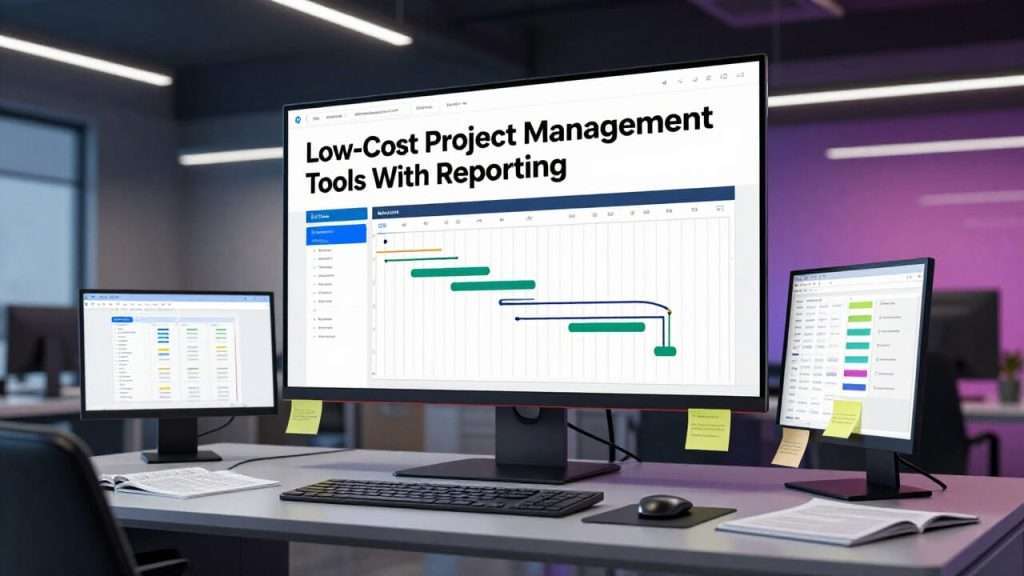
4 Best Budget-Friendly Project Management Tools That Won’t Break The Bank
The market for low-cost project management tools has expanded dramatically in recent years, with many platforms offering impressive reporting capabilities at surprisingly accessible price points. These solutions bridge the gap between basic free tools and costly enterprise systems, providing robust features that support data-driven project management without requiring significant investment.
- Tools priced between $3-$11 per user monthly that include comprehensive reporting features
- Solutions that offer customizable dashboards and visual reporting capabilities
- Platforms that support both high-level overviews and granular task analysis
- Options with export capabilities for sharing reports with stakeholders
- Systems that integrate with other business tools to enhance reporting functionality
Each of these affordable options prioritizes different aspects of project management, from timeline visualization to resource allocation tracking. What unites them is their commitment to providing meaningful insights that help teams improve performance without excessive costs. The best choice ultimately depends on your specific reporting needs, team size, and project complexity.
1. Monday.com Basic ($8/user/month)
Monday.com’s Basic plan offers an impressive visual approach to project reporting that makes it instantly clear where projects stand. With its intuitive color-coding system and customizable status columns, team members can identify bottlenecks at a glance without diving into detailed reports. The platform’s Basic tier includes essential timeline views, kanban boards, and list displays that adapt to different project management styles while maintaining consistent data tracking.
2. Wrike Professional ($9.80/user/month)
Wrike Professional stands out for its sophisticated reporting engine that allows managers to build comprehensive dashboards tracking everything from team velocity to budget utilization. The platform excels at visualizing project health across multiple initiatives, making it particularly valuable for teams juggling numerous concurrent projects. Wrike’s analytical capabilities include burndown charts, resource allocation views, and performance tracking that helps identify team strengths and improvement areas.
For organizations managing complex interdependent projects, Wrike’s dependency tracking and critical path analysis provide crucial visibility into potential delays before they cascade throughout the project portfolio. The platform’s reporting features extend beyond internal team performance to capture client satisfaction metrics and deliverable quality indicators, creating a more holistic view of project success.
Wrike Professional vs. Enterprise Reporting
While Wrike Professional offers 15+ report types and customizable dashboards, the Enterprise tier ($24.80/user/month) adds real-time report sharing, role-based report access, and advanced analytics integration. For most small to medium teams, the Professional reporting features provide 90% of the Enterprise functionality at 40% of the cost.
The platform’s ability to generate scheduled reports and automatically distribute them to stakeholders makes it particularly valuable for teams that need to maintain regular communication with clients or executive leadership. These automated reporting workflows eliminate the administrative burden of manual updates while ensuring all stakeholders have access to current information without requiring direct access to the platform.
3. Zoho Projects ($4/user/month)
Zoho Projects delivers exceptional value at its price point, offering reporting capabilities that rival platforms costing three times as much. The Standard plan includes customizable project dashboards, milestone tracking, and Gantt charts that visualize project timelines and dependencies. What sets Zoho apart is its robust task-level reporting that captures detailed progress metrics while maintaining an intuitive interface that doesn’t overwhelm users with complexity.
The platform’s integration with Zoho Analytics (available as an add-on) significantly expands its reporting capabilities, enabling advanced data visualization and cross-project analytics that would typically require enterprise-grade solutions. This modular approach allows teams to start with affordable basic reporting and scale up analytical capabilities as their needs evolve, without committing to expensive comprehensive packages that include features they may never use.
4. nTask ($3/user/month)
As the most budget-friendly option on our list, nTask delivers impressive reporting functionality at a remarkably accessible price point. The Premium plan includes Gantt charts, kanban boards, and list views along with basic reporting features that cover task completion rates, time tracking analysis, and resource utilization. While its visualizations aren’t as polished as more expensive alternatives, nTask excels at capturing the fundamental metrics most small teams need to manage projects effectively without unnecessary complexity or cost.
Best Reporting Features in Budget Project Management Software
- Customizable dashboards that display key performance indicators specific to your project methodology
- Visual progress tracking through Gantt charts, burndown reports, and kanban analytics
- Resource allocation reports that identify overallocation and availability across team members
- Time tracking analytics that reveal productivity patterns and estimate accuracy
- Budget tracking reports that compare planned vs. actual expenditures
- Stakeholder-friendly exports in multiple formats (PDF, CSV, Excel)
The reporting capabilities that deliver the most value typically focus on translating complex project data into actionable insights rather than simply presenting raw information. Even low-cost project management tools now incorporate visualization techniques that help team members quickly identify trends, spot anomalies, and recognize patterns that might otherwise remain hidden in spreadsheets or list views.
The most effective reporting features strike a balance between comprehensiveness and clarity, providing enough detail to inform decisions without overwhelming users with excessive data points. This balance is particularly important for teams transitioning from basic tracking methods to more sophisticated project management platforms, as overly complex reporting can create adoption barriers that prevent teams from realizing the full value of their investment.
Many budget-friendly options now include report scheduling and distribution features that previously were only available in enterprise solutions. These automation capabilities ensure stakeholders receive regular updates without requiring project managers to manually generate and distribute reports, freeing up valuable time for more strategic activities while maintaining communication consistency.
Visual Dashboards That Tell The Story at a Glance
Effective visual dashboards transform raw project data into meaningful narratives that immediately communicate project health and progress. The best low-cost project management tools offer customizable dashboard widgets that allow teams to configure their information display around the metrics that matter most to their specific workflows. These visual summaries typically combine progress indicators, resource allocation charts, and milestone tracking in a single view that provides immediate context without requiring users to navigate between multiple reports or screens.
Customizable Reports That Answer Your Specific Questions
While pre-built reports can address common project management scenarios, the ability to create custom reports tailored to specific business questions dramatically increases a tool’s value. Budget-friendly solutions increasingly offer report builders that allow non-technical users to select relevant data points, apply filters, and create visualizations without requiring SQL knowledge or developer assistance. This democratization of reporting enables team members at all levels to extract the insights they need without creating IT bottlenecks.
The most useful customization options include the ability to define custom fields, create calculated metrics, and save report templates for repeated use. These capabilities allow teams to track industry-specific KPIs or unique organizational metrics that wouldn’t be available in standard reporting templates, ensuring the platform adapts to the team’s needs rather than forcing the team to adapt to the platform’s limitations.
Export Options That Make Sharing Easy
The ability to extract reports in client-ready formats significantly enhances a project management tool’s value, particularly for teams that regularly communicate with external stakeholders. The most useful export options include white-labeled PDF reports, interactive dashboards that can be accessed through secure links, and raw data exports for teams that need to perform additional analysis in specialized tools. These sharing capabilities bridge the gap between internal project tracking and external communication, eliminating the need for duplicate reporting systems or manual reformatting.
Time Tracking Insights That Boost Productivity
Integrated time tracking with analytical reporting transforms basic time logs into valuable productivity insights that help teams optimize their workflows and improve estimation accuracy. The most effective time reports go beyond simple hour tallying to reveal patterns in how time is allocated across projects, tasks, and team members. These insights help managers identify potential training needs, recognize efficiency opportunities, and better understand the true cost of different project components.
Advanced yet affordable tools can compare estimated time against actual time spent, creating a feedback loop that improves future planning. This comparison analysis often reveals hidden time costs in project phases that might otherwise be overlooked, allowing teams to adjust estimates and resource allocations for similar future projects based on historical data rather than gut feeling.
How To Get Enterprise-Level Reporting Without The Price Tag
Strategic combinations of low-cost project management tools and thoughtful configuration can deliver reporting capabilities that rival expensive enterprise platforms without the premium price tag. The key lies in focusing first on the specific insights your team needs most rather than accumulating features that sound impressive but don’t address your actual reporting requirements. By prioritizing the metrics that directly impact your decision-making process and stakeholder communication, you can identify affordable solutions that excel in those specific areas rather than paying for comprehensive packages with numerous features you’ll rarely use.
Smart Integrations That Expand Capabilities
Extending your project management tool’s reporting capabilities through strategic integrations often delivers more value than upgrading to a more expensive tier. Services like Zapier, Integromat, or native API connections allow low-cost project management tools to push data to specialized reporting platforms or business intelligence tools that offer advanced visualization and analysis features. These integration approaches let you maintain the cost advantage of budget-friendly project management while accessing enterprise-grade analytics for the specific metrics that require deeper examination.
Report Templates That Save Hours
Creating a library of standardized report templates dramatically reduces the time required to generate consistent project updates while ensuring all necessary information is included each time. The most effective templates combine visual elements that communicate status at a glance with detailed sections that provide necessary context for different stakeholder groups. By investing time upfront in designing comprehensive templates that address common reporting needs, teams can generate professional, consistent reports with minimal ongoing effort while maintaining the flexibility to customize as needed for special circumstances.
Automation Tricks To Generate Reports Without Lifting a Finger
Scheduled reports and conditional triggers represent the frontier of efficient project reporting, eliminating manual steps while ensuring stakeholders always have current information. Even budget-friendly tools now offer automation capabilities that can generate and distribute reports based on predefined schedules or trigger events like milestone completion, budget thresholds, or risk escalations. These automated workflows not only save considerable time but also improve communication consistency by removing the human variables of forgetfulness or competing priorities that often delay manual reporting processes.
For teams with technical resources, many affordable platforms offer API access that enables custom reporting automation beyond the platform’s built-in capabilities. These programmatic approaches can create specialized reporting workflows that connect project data with other business systems, enabling contextual analysis that would be difficult or impossible through manual processes regardless of the platform’s price point.
Real-World Comparison: Free vs. Paid Project Management Tools
The performance gap between free and affordable paid project management tools becomes most apparent when managing complex projects with multiple stakeholders and dependencies. While free tools like Trello’s basic version or Asana’s free tier can handle simple task tracking, they quickly reach their limits when teams need consolidated reporting across projects or detailed resource utilization metrics. This limitation forces project managers to create manual workarounds that consume valuable time and introduce potential errors.
What You Gain By Spending $5-10 Per User
The investment in even the most basic paid tiers delivers exponential returns through time savings and improved decision-making. Teams typically recoup this cost within the first month through reduced administrative overhead alone. The reporting capabilities in the $5-10 range unlock crucial visibility into team performance, resource allocation, and project health that simply isn’t available in free versions.
The most significant gains come from automation and customization features that eliminate repetitive reporting tasks. While free tools might require manual data compilation and formatting every time stakeholders need an update, paid tiers offer scheduled reports, saved templates, and automated distribution that can save 3-5 hours of administrative work weekly. This time reclamation allows project managers to focus on strategic initiatives rather than report generation. For more information on project management tools, check out this guide to online project management options.
Where Free Tools Still Get The Job Done
For small teams with straightforward projects and minimal reporting requirements, free project management tools can provide adequate functionality. Single-project teams with 2-5 members working on linear workflows with few dependencies can often manage effectively with basic Kanban boards and simple task lists. In these scenarios, the reporting limitations of free tools may not significantly impact productivity or decision-making.
Free tools also serve as excellent entry points for teams transitioning from spreadsheets or email-based project management. These platforms allow teams to establish collaborative workflows and task ownership without a financial commitment, creating an opportunity to identify specific reporting needs before investing in paid solutions. This try-before-you-buy approach helps teams make more informed decisions when they eventually upgrade to paid tiers with expanded reporting capabilities.
Making The Right Choice For Your Team
Selecting the ideal project management tool requires balancing immediate reporting needs against anticipated future requirements. The most successful implementations match tool capabilities to team size, project complexity, and organizational culture rather than simply choosing the option with the longest feature list. This alignment ensures teams can extract maximum value from their chosen platform without paying for unused capabilities or struggling with inadequate reporting.
Team Size Considerations
As teams grow, reporting needs evolve from simple task completion tracking to more sophisticated resource management and cross-project visibility. Small teams of 5-10 members can often manage effectively with basic reporting tools that focus on individual project metrics, while larger organizations require consolidated dashboards that visualize performance across multiple projects and teams.
| Team Size | Recommended Features | Budget Range |
|---|---|---|
| 1-5 members | Basic task tracking, simple Gantt charts, time tracking | $0-$5 per user |
| 6-20 members | Custom fields, team dashboards, resource reports | $5-$8 per user |
| 21-50 members | Cross-project reporting, workload balancing, role-based access | $8-$12 per user |
| 50+ members | Portfolio management, advanced analytics, custom reporting | $12+ per user |
Communication patterns also influence tool selection, with distributed teams benefiting most from platforms that emphasize visual reporting and automated notifications. When team members work across different time zones or locations, asynchronous reporting features become essential for maintaining alignment without requiring simultaneous availability for status meetings.
Industry-Specific Needs
Different industries have unique reporting requirements that should guide tool selection. Creative agencies typically prioritize time tracking and budget utilization reports that connect directly to client billing, while software development teams need sprint velocity metrics and bug tracking analytics. Manufacturing projects might require inventory tracking and production timeline reporting that wouldn’t be relevant for marketing teams focusing on campaign performance metrics.
The most versatile affordable platforms offer industry-specific templates that can be customized to match established workflows without requiring significant configuration. These pre-built solutions reduce implementation time while ensuring reports address the specific metrics most relevant to your industry’s success factors. For specialized industries with unique regulatory requirements, platforms that support custom fields and calculated metrics provide the flexibility to create compliance-focused reporting without custom development.
Growth Planning
Anticipating how reporting needs will evolve as your organization grows prevents costly platform migrations and data transfers later. The most forward-thinking teams select tools that offer scalable reporting capabilities that can expand alongside the organization, even if some advanced features remain unused initially. This approach ensures continuity in historical data and reporting methodologies while providing room for increased complexity as projects and teams expand.
When evaluating platforms through this future-focused lens, pay particular attention to user tier limitations and pricing breakpoints. Some tools offer excellent value at lower user counts but implement steep price increases at certain thresholds that can significantly impact total cost of ownership as teams expand. Similarly, storage limitations for historical reporting data may create unexpected costs for long-term projects that generate substantial documentation and artifacts.
Frequently Asked Questions About Low-Cost Project Management Tools With Reporting
As teams evaluate low-cost project management tools, certain questions consistently arise about reporting capabilities and limitations. These common concerns reflect the challenge of balancing cost constraints against information needs in project environments where visibility directly impacts outcomes. Understanding these tradeoffs helps teams make more informed decisions about where to invest their limited budget for maximum reporting impact.
Many organizations initially underestimate their reporting requirements, focusing primarily on task tracking capabilities during tool evaluation. This narrow focus often leads to discovering reporting limitations only after implementation, when stakeholders begin requesting insights the platform can’t easily provide. Considering these common questions proactively helps teams select tools that will meet both immediate and emerging reporting needs without unexpected limitations.
Expert Insight: According to the Project Management Institute’s 2023 Pulse of the Profession report, organizations that prioritize comprehensive project reporting experience 28% fewer project failures and complete 22% more projects within the original budget compared to organizations with limited reporting capabilities.
The responses below reflect current market capabilities for low-cost project management tools, but it’s worth noting that this landscape evolves rapidly. Features that once required premium pricing increasingly appear in budget-friendly tiers as competition intensifies and cloud-based delivery models reduce development costs. This democratization of reporting capabilities has significantly narrowed the gap between affordable and enterprise-grade solutions in recent years.
Even within similar price points, significant variations exist in how different platforms approach reporting functionality. Some prioritize visual appeal and dashboard customization, while others focus on data export flexibility or analytical depth. These different emphases make direct comparison challenging without first establishing which reporting aspects matter most for your specific use cases.
Can I get good project reporting features for under $5 per user?
Yes, several platforms offer robust reporting capabilities in the $3-5 range, with Zoho Projects and nTask providing particularly strong value at this price point. While these budget options may lack the polished interface of more expensive alternatives, they typically include essential reporting features like Gantt charts, time tracking analytics, and basic dashboard customization that satisfy the needs of most small to medium teams.
The most significant limitation at this price tier typically involves report sharing and distribution rather than report generation. Tools under $5 often restrict export formats or limit the number of dashboard viewers, requiring manual distribution of reports to stakeholders without platform access. For teams that primarily use reports for internal decision-making rather than client communication, these limitations rarely impact effectiveness enough to justify higher subscription tiers.
What’s the difference between basic and advanced reporting in project management tools?
Basic reporting typically focuses on operational metrics like task completion status, upcoming deadlines, and simple resource allocation, while advanced reporting expands to include trend analysis, predictive indicators, and cross-project comparisons. The primary distinction lies not in the data itself but in how it’s analyzed, visualized, and contextualized to support different levels of decision-making. Basic reporting answers “what is happening now,” while advanced reporting addresses “why it’s happening and what will likely happen next.”
How important is mobile reporting in project management software?
Mobile reporting capabilities have evolved from convenience features to essential functionality as teams become increasingly distributed and remote work becomes normalized. The ability to access key project metrics from mobile devices ensures decision-makers can maintain project visibility regardless of location, enabling faster responses to emerging issues and reducing delays in approval workflows that might otherwise stall progress.
When evaluating mobile reporting capabilities, consider not just what can be viewed but also what actions can be taken from mobile interfaces. The ability to approve requests, reassign tasks, or adjust deadlines directly from mobile notifications significantly enhances team agility compared to platforms that require desktop access for these actions. This action-oriented mobile functionality increasingly distinguishes truly mobile-optimized tools from those that merely offer responsive design.
- Look for platforms with dedicated mobile apps rather than mobile-responsive web interfaces
- Prioritize tools that send actionable notifications with in-app response capabilities
- Check whether reports can be downloaded for offline viewing during travel
- Verify that mobile security features meet your organization’s requirements
- Test performance on both iOS and Android devices if your team uses mixed devices
Do low-cost tools allow report sharing with clients?
Most affordable project management platforms offer at least basic client reporting capabilities, though implementation varies significantly between tools. The most client-friendly options provide dedicated client portals or shareable dashboard links that grant limited access to specific reports without exposing internal discussions or sensitive data. These selective sharing capabilities allow teams to maintain professional client communication without risking accidental disclosure of confidential information that might appear in comprehensive project views.
Can affordable project management tools integrate with other business software?
Integration capabilities have become a standard feature even in budget-friendly project management tools, with most platforms supporting connections to popular business applications through native integrations or middleware services like Zapier. These connections allow project data to flow between specialized systems, enabling comprehensive reporting that combines project metrics with financial data, customer information, or marketing analytics to provide fuller context for decision-making.
The depth and flexibility of these integrations still represents a significant differentiator between price tiers, with more low-cost project management tools typically offering template-based connections to common services while premium tiers provide API access for custom integration development. For most small to medium teams, the pre-built integrations available in affordable tiers adequately address common reporting needs like connecting time tracking data to invoicing systems or synchronizing task completion with client communication tools.
To maximize the value of any project management tool, look for options that support the specific integrations most relevant to your workflow rather than those with the longest list of generic connections. A platform with robust integration to your specific accounting system, CRM, or design tools will deliver more practical reporting value than one with dozens of connections to services your team doesn’t use.
Your team’s Reporting Efficiency begins with your preparation. The Project Management Toolkit Bundle helps you Lead and Report with confidenc — for just $147. Early buyers get $498+ in free bonuses during the limited launch period.
Instantly Upgrade Your Professional Image With Fortune 500-Level Reporting Documentation
===========================================================================
ABOUT THE AUTHOR
Gerard Mohamed is a project management expert with over 30 years of hands-on experience managing high-stakes projects in the petrochemical and marine engineering sectors. As a volunteer within many non-profits, he has successfully implemented systems to increase the operational efficiencies of these organizations.
He holds an MBA from Business School Netherlands and a BCom (Hons) with dual majors in Project Management and Advanced Marketing. As a qualified Marine Engineer, Gerard serves as Chairman of the Cape Branch of the South African Institute of Marine Engineers and Naval Architects (SAIMENA) and sits on their National Executive Committee.
Gerard is a fully accredited Facilitator and Assessor for Project Management under South Africa’s SETA and QCTO, and teaches Project Management part-time at two leading business colleges.
After decades of struggling to find practical, field-tested project templates, he created BestProjectKits.com — a comprehensive library of 3,500+ professionally designed templates that solve real-world project challenges across 20+ industries.
→ Explore the complete template library at BestProjectKits.com
→ Connect with Gerard: [admin@bestprojectkits.com]
=========================================================================