
Affordable Project Management Tools With Gantt Charts
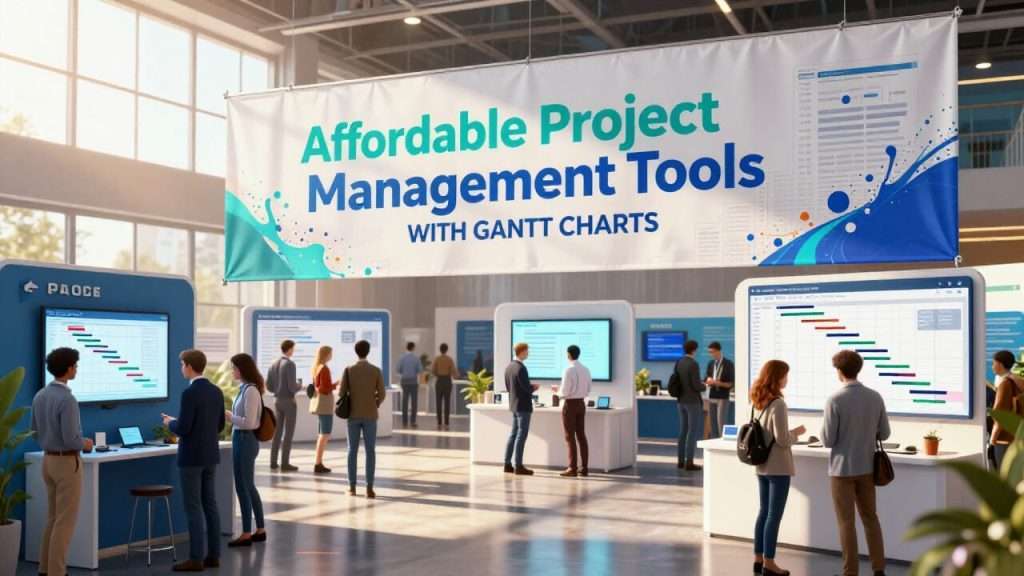
Affordable project management tools with Gantt charts usually offer free plans or low-cost tiers with essential Gantt functionality for visual planning, task dependencies, and timelines. This make them great for small teams or budget-conscious individuals needing simple yet powerful scheduling without enterprise price tags.
Key Takeaways On Affordable Project Management Tools With Gantt Charts
- Affordable Gantt chart tools offer essential project management features without breaking your budget, with options starting from completely free to under $15 per user per month
- GanttProject provides a robust free desktop solution perfect for small teams and individual project managers with limited budgets
- TeamGantt combines user-friendly interface with powerful collaborative features, making it ideal for remote teams needing visual project management
- Visualizing project timelines through Gantt charts can reduce miscommunication by up to 50% and increase on-time project completion rates
- When selecting an affordable Gantt chart tool, consider your team size, project complexity, and required integrations rather than just the price point
Finding the right project management tool that includes Gantt chart functionality doesn’t have to drain your budget. With the right affordable solution, teams of all sizes can visualize project timelines, track dependencies, and manage resources effectively. TeamGantt offers an intuitive platform that simplifies project scheduling without overwhelming users with unnecessary complexity, making it accessible for teams just beginning to implement formal project management processes.
What Makes Gantt Charts Essential for Project Success
Gantt charts have evolved from simple timeline visualization tools to comprehensive project management solutions that serve as the backbone for successful project execution. Their visual nature transforms complex project data into intuitive timelines that team members and stakeholders can quickly understand and act upon. This visual clarity is particularly valuable when communicating project status to executives or clients who need high-level overviews without technical details.
The true power of modern Gantt charts lies in their ability to show relationships between tasks, resource allocation, and progress tracking in a single interface. This consolidated view eliminates the need for multiple reports and reduces the risk of miscommunication that often leads to project delays or scope creep. For teams working with limited resources, this efficiency is not just convenient—it’s essential for delivering projects on time and within budget.
“Project teams using visual planning tools like Gantt charts report up to 50% fewer miscommunications and 30% higher on-time completion rates compared to those using text-based project plans alone.” – ProjectManager.com industry research
The Visual Power of Timeline Visualization
Timeline visualization transforms abstract project schedules into concrete visual representations that make complex projects digestible at a glance. This visual approach engages the brain’s pattern recognition abilities, allowing project managers and team members to quickly identify bottlenecks, conflicts, and opportunities for optimization that might be missed in traditional task lists or spreadsheets. For those looking to explore more about these tools, Gantt chart software offers a variety of options to enhance project management efficiency.
For small teams with limited project management experience, the intuitive nature of Gantt timelines flattens the learning curve significantly. New team members can quickly understand project structure and their role within it without extensive training. This accessibility is particularly valuable for organizations that can’t afford dedicated project management specialists or extensive onboarding processes.
The color-coding and grouping capabilities found in even affordable Gantt tools enable teams to implement visual management systems that communicate priority, status, and ownership without the need for lengthy reports or meetings. This efficiency translates directly to cost savings in terms of reduced administrative overhead and meeting time.
How Dependency Tracking Prevents Project Delays
Dependency tracking within Gantt charts serves as an early warning system for potential project derailments. By establishing logical relationships between tasks, teams can immediately see the ripple effects when a single task falls behind schedule. This foresight allows project managers to reallocate resources, adjust timelines, or implement mitigation strategies before delays cascade throughout the entire project.
Even affordable project management tools with Gantt charts typically support the four fundamental dependency types: Finish-to-Start, Start-to-Start, Finish-to-Finish, and Start-to-Finish. This functionality, once available only in premium project management software, now comes standard in budget-friendly options, democratizing sophisticated project planning techniques. The automation of dependency management reduces the administrative burden on project teams and minimizes human error in scheduling.
Resource Management Benefits for Teams of All Sizes
Effective resource management through Gantt chart visualization prevents the costly mistake of overallocation, where team members are assigned more work than they can reasonably complete. This visibility helps protect team wellbeing while maintaining productivity, a critical balance for small teams where each member often wears multiple hats.
Budget-friendly Gantt tools now commonly include resource histograms and workload views that highlight capacity issues before they impact project timelines. These features allow for data-driven decisions about hiring needs, contractor engagement, or project prioritization based on actual resource availability rather than optimistic assumptions.
For organizations with limited budgets, maximizing the efficiency of existing resources is often more feasible than expanding the team. Gantt-based resource management provides the insights needed to optimize allocation, identify skill gaps, and make strategic decisions about where to invest in team development or external support.
- Prevent resource bottlenecks by visualizing individual workloads across multiple projects
- Identify skill gaps that might require training or strategic hiring
- Balance workloads to prevent burnout and maintain consistent productivity
- Plan for resource availability when scheduling new projects or phases
- Justify resource-related decisions with visual evidence for stakeholders
1. GanttProject: The Free Desktop Solution
GanttProject stands out as a powerful free desktop application that delivers core Gantt chart functionality without subscription costs or premium tiers. This open-source solution has maintained a loyal following since 2003, particularly among small businesses, educational institutions, and nonprofit organizations with limited software budgets. Despite its zero-dollar price tag, GanttProject offers surprisingly robust capabilities that rival many paid alternatives.
Key Features That Make It Stand Out
At its core, GanttProject excels at the fundamentals: creating tasks, establishing dependencies, setting milestones, and visualizing project timelines. The software supports critical path analysis, allowing project managers to identify which tasks directly impact the project completion date. This feature alone provides significant value for sequencing work and prioritizing efforts when resources are constrained.
The resource management capabilities include workload charts that help prevent overallocation and ensure team members aren’t assigned more than they can handle. GanttProject also supports baseline comparisons, enabling project managers to track actual progress against original plans and identify deviations early. For teams transitioning from spreadsheet-based planning to more formal project management approaches, these features provide a significant upgrade without financial investment.
- Task hierarchy and WBS (Work Breakdown Structure) support
- PERT chart generation for alternative project visualization
- Custom fields for tracking project-specific information
- Multiple project management with master/sub-project relationships
- Human resource calendars with vacation and day-off tracking
Platform Compatibility (Windows, Mac, Linux)
GanttProject’s cross-platform compatibility removes the barrier of operating system restrictions that often plague specialized project management software. Available for Windows, macOS, and Linux, the application uses the same file format across all platforms, facilitating seamless collaboration between team members using different operating systems. This universal compatibility is particularly valuable for small businesses with BYOD (Bring Your Own Device) policies or distributed teams using various platforms.
Limitations to Be Aware Of
While GanttProject delivers exceptional value as a free tool, it lacks real-time collaboration features found in cloud-based alternatives. Team members must share project files manually or through third-party solutions like Dropbox or Google Drive, which can lead to version control challenges in fast-moving projects. For teams accustomed to simultaneous editing and instant updates, this limitation may require adjustment to workflows and communication practices.
The software’s interface, while functional, lacks the polished, modern aesthetic of newer web-based tools. First-time users may experience a steeper learning curve compared to some of the more intuitive paid options on the market. Additionally, mobile access is not available, restricting usage to desktop environments and potentially limiting flexibility for teams that need to update project status while away from their computers.
2. TeamGantt: User-Friendly Interface at a Reasonable Price
TeamGantt strikes an impressive balance between accessibility and power, offering one of the most intuitive interfaces in the Gantt chart software landscape while maintaining robust project management capabilities. This web-based solution was designed specifically to overcome the complexity barrier that has traditionally made Gantt charts intimidating for non-technical users. With plans starting at just $19/month for a single user and scaling reasonably for teams, TeamGantt positions itself as an affordable option that doesn’t sacrifice quality or features.
Collaborative Features for Remote Teams
The platform excels at facilitating collaboration for distributed teams through its comprehensive commenting system, @mentions, and file attachment capabilities tied directly to specific tasks. This contextual communication eliminates the fragmentation that often occurs when project discussions happen across multiple channels, keeping all relevant information connected to the work it references. For remote teams, this centralization significantly reduces miscommunication and increases accountability without requiring additional communication tools.
TeamGantt’s real-time updates ensure all team members see the most current project status, eliminating confusion about priorities or deadlines. The platform’s notification system keeps team members informed about changes relevant to their work without overwhelming them with updates from the entire project. This targeted approach to communication is particularly valuable for cross-functional teams where members need to focus on their specific responsibilities while maintaining awareness of interdependencies.
Pricing Tiers and Free Version Capabilities
TeamGantt’s free version supports up to three users and one project, making it a viable option for small teams or those wanting to test the platform before committing financially. While limited in scale, the free tier includes core Gantt chart functionality, task management, and basic collaboration features, providing genuine value rather than serving merely as a restricted demo. This approach allows small businesses or startups to implement professional project management practices without initial investment.
The Standard tier ($19/user/month) unlocks unlimited projects and adds resource management capabilities, including team availability and workload views that prevent overallocation. The Advanced tier ($29/user/month) introduces portfolio management, time tracking, and advanced reporting capabilities for organizations managing multiple complex projects simultaneously.
“We switched from Microsoft Project to TeamGantt and saved over $10,000 annually while actually increasing our team’s utilization of the tool. The intuitive interface meant everyone actually used it, unlike our previous solution that required extensive training.” – Mid-size Marketing Agency Director
Template Library and Time-Saving Features
TeamGantt’s extensive template library provides pre-built project frameworks for common project types across various industries, from software development to event planning and construction. These templates dramatically reduce setup time and ensure best practices are incorporated from the start, allowing teams to begin execution faster while maintaining structural consistency across projects. For organizations without dedicated project management expertise, these templates provide valuable guidance on project breakdown and sequencing.
The platform’s drag-and-drop functionality simplifies timeline adjustments, dependency creation, and resource allocation without requiring technical expertise. This intuitive approach makes Gantt chart management accessible to team members with varying technical abilities, expanding the pool of potential project managers within an organization. The reduced training requirements translate directly to cost savings and faster implementation compared to more complex alternatives.
3. Paymo: All-in-One Solution with Powerful Gantt Functionality
Paymo differentiates itself in the affordable Gantt chart market by integrating project management, time tracking, and invoicing into a single platform. This comprehensive approach eliminates the need for multiple subscriptions and reduces the complexity of maintaining several disconnected tools. With plans starting at just $9.95/user/month for the Small Office tier, Paymo offers exceptional value for small businesses and freelancers who need to manage projects while tracking billable hours and generating client invoices from the same data.
Automatic Timeline Generation from Task Dates
One of Paymo’s standout features is its ability to automatically generate Gantt chart timelines from task lists and due dates, creating visual project schedules without requiring users to build them manually. This automation simplifies the transition for teams moving from basic task management to more sophisticated project planning, reducing the learning curve that often impedes adoption of Gantt-based methodologies. The system maintains this synchronization throughout the project lifecycle, ensuring the visual timeline always reflects the most current task information.
While the automation streamlines timeline creation and maintenance, Paymo still supports manual adjustments directly within the Gantt view for situations requiring more control over scheduling. This flexibility allows experienced project managers to fine-tune timelines while still benefiting from the efficiency of automated generation for initial setup and routine updates. The balanced approach accommodates varying levels of project management maturity within the same organization.
Integrated Time Tracking and Invoicing
Paymo’s integrated time tracking functionality goes beyond basic project management, allowing team members to record working hours directly against specific tasks within the Gantt chart. This direct connection between planning and execution creates an unbroken chain from project scheduling through time capture to client billing, dramatically reducing administrative overhead and improving accuracy. For service-based businesses, this integration translates to faster invoicing cycles and improved cash flow without requiring manual data transfer between systems.
When project phases complete, Paymo can generate professional invoices directly from tracked time, applying appropriate billing rates and project terms without requiring duplicate data entry. This automation not only saves administrative time but also reduces billing errors and provides clients with transparent breakdowns of work performed. For small businesses without dedicated accounting departments, this streamlined workflow represents significant time and cost savings while improving financial accuracy.
Price Point and Value Comparison
Paymo’s pricing structure offers exceptional value when considering the breadth of functionality included in each tier. This consolidated approach can result in 30-50% cost savings compared to maintaining separate systems for project management, time tracking, and billing. For growing teams, the Business tier ($15.79/user/month) adds advanced features like resource scheduling, workload management, and client portal access while remaining significantly more affordable than comparable all-in-one solutions.
While Paymo offers tremendous value for service-based businesses that bill by time, organizations without time-billing requirements may find they’re paying for unused functionality. Teams should evaluate whether the integrated approach aligns with their business model before selecting Paymo over more focused project management alternatives. The platform’s free tier supports up to 10 users with limited features, providing an excellent opportunity to test this alignment before committing financially.
4. Toggl Plan: Simplicity Meets Visual Appeal
Toggl Plan (formerly Teamweek) takes a distinctively minimalist approach to Gantt chart software, prioritizing ease of use and visual clarity over complex features. This streamlined philosophy makes it particularly suitable for creative teams, agencies, and organizations where visual thinking dominates and technical project management expertise may be limited. With plans starting at just $9/user/month, Toggl Plan offers an affordable entry point for teams seeking visual project management without the learning curve associated with more complex systems.
Color-Coding System for Quick Status Updates
Toggl Plan’s color-coding system transforms project status tracking from a tedious administrative task into an intuitive visual experience. Teams can establish color schemes that instantly communicate priority, project type, department, or status without requiring team members to read detailed notes or updates. This visual approach significantly reduces the time needed to understand project status in weekly reviews or stakeholder presentations, allowing more focus on problem-solving rather than status reporting.
The system supports custom color palettes that can align with organizational branding or established visual management systems like Kanban. This flexibility allows teams to implement familiar visual cues that reduce cognitive load when switching between multiple projects or responsibilities. For organizations managing numerous concurrent projects, this visual differentiation prevents confusion and helps team members quickly reorient when shifting between workstreams.
Drag-and-Drop Functionality for Easy Planning
Toggl Plan’s intuitive drag-and-drop interface fundamentally changes how teams interact with project timelines, allowing instant schedule adjustments without forms, dialog boxes, or complex commands. Team members can simply grab tasks and move them to new dates or extend durations by pulling handles, making timeline management accessible to everyone regardless of technical background. This democratization of scheduling tools encourages more collaborative planning and reduces bottlenecks where changes must flow through designated project managers. For more on similar tools, check out TeamGantt’s Construction Edition.
The responsive nature of the interface provides immediate visual feedback on timeline changes, including potential conflicts or resource overlaps that result from adjustments. This instant validation helps prevent scheduling mistakes that might go unnoticed in text-based systems until they cause actual project delays. For teams without formal project management training, this visual guidance serves as a valuable safeguard against common planning errors.
Budget-Friendly Pricing Structure
Toggl Plan’s transparent pricing model offers significant value for teams prioritizing visual project management without complex requirements. The Team plan ($9/user/month) includes unlimited projects, timeline sharing, and team management features sufficient for most small to medium organizations. This straightforward tier avoids the complex matrix of feature limitations common in other tools’ pricing structures, simplifying budgeting and procurement decisions.
For organizations with limited budget flexibility, Toggl Plan’s free tier supports up to 5 users with core timeline and task management features. This generous free offering provides sufficient functionality for small teams or departments to implement visual project management practices without financial commitment. The clear upgrade path ensures teams can scale their tools alongside organizational growth without disruptive platform changes.
5. ProjectManager: Advanced Features at Mid-Range Price
ProjectManager occupies a unique position in the affordable Gantt chart marketplace by offering near-enterprise level features at mid-range prices. Starting at $15/user/month for the Team plan, the platform delivers sophisticated project management capabilities that would typically command premium pricing from competing vendors. This value proposition makes it particularly attractive for growing organizations that need advanced functionality but can’t justify enterprise software budgets.
All Four Types of Task Dependencies
Unlike many alternative and affordable project management tools with Gantt charts that support only basic Finish-to-Start dependencies, ProjectManager includes all four standard dependency types: Finish-to-Start, Start-to-Start, Finish-to-Finish, and Start-to-Finish. This comprehensive approach allows project managers to model complex relationships between tasks that more accurately reflect real-world project dynamics. For technical, construction, or manufacturing projects with intricate scheduling requirements, these additional dependency types can mean the difference between realistic planning and constant schedule adjustments.
Advanced dependency handling extends to cross-project relationships, allowing program managers to coordinate schedules across multiple related initiatives. This enterprise-level capability is rarely available in the affordable Gantt chart category, providing exceptional value for organizations managing portfolios of interconnected projects with shared resources or sequential deliverables.
Real-Time Dashboard Reporting
ProjectManager’s dashboard functionality transforms raw project data into actionable insights through real-time visual reporting. Unlike many affordable alternatives that offer only basic status views, these dashboards provide sophisticated performance metrics including planned vs. actual progress, resource utilization, budget tracking, and upcoming milestone forecasts. This comprehensive reporting enables data-driven decision making without requiring external business intelligence tools or custom report development.
Perhaps most valuable is the real-time nature of these reports, which update automatically as project data changes. This immediacy eliminates the reporting lag common in many project management environments, where status information may be days or weeks old before reaching decision makers. For fast-moving projects or those with tight deadlines, this current visibility can be the difference between proactive adjustment and reactive crisis management.
“Real-time project dashboards reduced our weekly reporting meetings from 90 minutes to 30 minutes, saving our team 520 hours annually while actually improving our decision quality and response time to emerging issues.” – Engineering Director at mid-size manufacturing company
Microsoft Project File Compatibility
ProjectManager’s robust Microsoft Project file compatibility provides a smooth transition path for organizations moving from Microsoft’s desktop solution to a more affordable cloud-based platform. The ability to import and export .mpp files without data loss preserves existing project archives and enables collaboration with partners or clients who continue to use Microsoft Project. This interoperability removes a significant barrier to adoption that often prevents organizations from exploring more cost-effective alternatives.
For organizations that maintain Microsoft Project licenses for specific team members or departments while seeking more affordable options for wider deployment, ProjectManager’s compatibility creates a viable hybrid approach. Project managers can develop and maintain master plans in Microsoft Project while team members access and update their portions through ProjectManager’s more intuitive interface at a fraction of the licensing cost.
6. ClickUp: Free Option with Robust Gantt Capabilities
ClickUp has rapidly gained popularity by offering one of the most feature-rich free plans in the project management space, including fully-functional Gantt chart capabilities without cost barriers. The platform’s “Free Forever” plan supports unlimited users and projects with 100MB of storage, providing a legitimate zero-cost option for teams with basic project visualization needs. This generous approach makes professional project management accessible to startups, nonprofits, educational institutions, and small businesses operating with minimal software budgets.
Feature-Rich Free Forever Plan
ClickUp’s free plan includes surprisingly robust Gantt functionality including task dependencies, critical path analysis, and milestone tracking—features often restricted to paid tiers in competing products. This comprehensive approach allows teams to implement legitimate project management practices without financial commitment, making it ideal for organizations in early growth stages or those testing formal project management methodologies for the first time.
While storage limitations and some advanced features require paid upgrades, ClickUp’s free plan lacks artificial restrictions on core project management functionality. Teams can manage unlimited projects with unlimited tasks, making it viable for long-term use rather than merely serving as a trial version. This approach allows organizations to allocate budget to paid plans based on genuine need for advanced features rather than being forced into upgrades by arbitrary limitations.
Integration Ecosystem
ClickUp’s extensive integration ecosystem encompasses over 1,000 applications through native connections and Zapier compatibility, allowing teams to incorporate Gantt chart planning into their existing workflows without disruption. These connections enable bidirectional data flow with popular tools for communication (Slack, Microsoft Teams), file management (Google Drive, Dropbox), development (GitHub, Gitlab), and customer relationship management (Salesforce, HubSpot).
Even within the free plan, ClickUp provides API access for custom integrations—a capability typically restricted to enterprise tiers in competing products. This technical flexibility allows organizations with development resources to create tailored connections to internal systems or specialized tools without upgrading to premium plans. For teams with unique workflow requirements, this extensibility prevents the “walled garden” limitations common in many affordable project management solutions.
Customization Options for Different Project Types
ClickUp’s highly customizable views allow teams to interact with project data in multiple formats beyond traditional Gantt charts, including Kanban boards, calendars, lists, and tables. This flexibility accommodates different working styles and project types within a single platform, eliminating the need for separate tools for different departments or project methodologies. Teams can shift between Agile and waterfall approaches or combine elements of both without changing platforms or losing data continuity.
Customizable automation rules allow teams to reduce administrative overhead by triggering actions based on status changes, due dates, or custom conditions. These workflows can automatically update dependencies, notify stakeholders, or adjust priorities without manual intervention, scaling project management capacity without additional staffing. For small teams managing multiple projects, these efficiency gains can significantly expand management capacity without proportional time investment.
7. Instagantt: Dedicated Gantt Chart Focus
Instagantt distinguishes itself as a specialized tool focused exclusively on Gantt chart functionality rather than attempting to serve as a comprehensive project management platform. This focused approach results in exceptionally refined timeline visualization and manipulation capabilities that often surpass more general-purpose alternatives. With standalone plans starting at $7/user/month, Instagantt offers an affordable entry point for teams that need sophisticated Gantt charts but may already have solutions for other aspects of project management.
Asana Integration Benefits
Instagantt’s seamless integration with Asana creates a powerful combination that addresses the limited native Gantt capabilities in one of the market’s most popular task management platforms. This integration synchronizes tasks, assignments, due dates, and progress between systems, allowing teams to leverage Asana’s collaboration strengths alongside Instagantt’s superior timeline visualization.
Beyond technical integration, the Asana connection creates economic efficiency by allowing organizations to maintain Asana’s free tier for most team members while providing Instagantt access only to those who need advanced scheduling capabilities. This targeted deployment strategy can reduce total licensing costs compared to upgrading all users to premium tiers of general-purpose project management platforms with built-in Gantt functionality.
Specialized Features for Timeline Management
Instagantt’s exclusive focus on timeline visualization has resulted in several specialized features rarely found in more general project management tools, particularly in the affordable price range. The platform’s advanced baseline capabilities allow tracking of multiple historical versions of a schedule, enabling detailed variance analysis and trend identification throughout the project lifecycle. This historical comparison helps teams improve future estimation accuracy by identifying patterns in timeline adjustments across similar projects.
Unique among affordable Gantt solutions, Instagantt offers scenario planning through its “project copy” feature, allowing teams to develop and compare multiple scheduling approaches before committing to implementation. This capability supports risk management and contingency planning by enabling visualization of alternative execution strategies based on different assumptions or constraints. For projects with significant uncertainty or multiple viable approaches, this comparison capability supports more robust decision-making without requiring enterprise-level project portfolio management tools.
Standalone vs. Integration Pricing
Instagantt offers two distinct pricing models that allow organizations to optimize costs based on their existing toolset and specific needs. The standalone version ($7/user/month) provides complete Gantt functionality independent of other platforms, ideal for teams seeking a dedicated scheduling tool or those transitioning between project management systems. This option delivers exceptional value for organizations focused primarily on timeline visualization and management rather than comprehensive project tracking.
Both pricing models offer significant discounts for annual commitments and volume licensing, with enterprise options available for larger deployments. The transparent, straightforward pricing structure without feature-based tiers simplifies budgeting and procurement decisions compared to platforms with complex feature matrices across multiple pricing levels. This clarity is particularly valuable for small businesses without dedicated software procurement specialists to navigate complicated licensing structures.
How to Choose the Right Project Management Tools With Gantt Charts for Your Needs
Selecting the optimal Gantt chart tool requires looking beyond price alone to evaluate how each solution aligns with your specific project requirements, team dynamics, and organizational maturity. The most affordable option isn’t necessarily the most cost-effective if it fails to address your fundamental needs or creates inefficiencies through poor fit. A systematic evaluation approach considering team size, project complexity, budget realities, and existing technology investments will lead to a more sustainable selection that delivers genuine value.
Team Size Considerations
Team size significantly impacts which Gantt solution will provide optimal value, with different platforms scaling more effectively at different organizational levels. Very small teams (1-5 members) often benefit from lightweight tools like GanttProject or Toggl Plan that minimize administrative overhead while providing essential visualization capabilities.
Mid-sized teams (5-20 members) typically require more robust collaboration features and role-based permissions found in platforms like TeamGantt or Paymo. At this scale, the efficiency gains from real-time collaboration and integrated communication features justify slightly higher per-user costs compared to simpler alternatives.
Larger organizations (20+ team members) often need the advanced resource management, reporting, and governance capabilities found in platforms like ProjectManager or higher tiers of ClickUp. These solutions support the more structured project methodologies and specialized roles that emerge at larger scales, where formal processes become necessary to coordinate complex interdependencies across multiple workstreams.
Project Complexity Assessment
The complexity of your typical projects should heavily influence your Gantt tool selection, as platforms vary significantly in their ability to handle different levels of structural sophistication. Simple linear projects with few dependencies and resources can be effectively managed with basic tools that offer straightforward timeline visualization without advanced scheduling features. In these scenarios, solutions like Toggl Plan or GanttProject provide sufficient functionality without unnecessary complexity.
Projects with moderate complexity involving multiple workstreams, shared resources, and interdependencies require more sophisticated dependency management and resource allocation features. Tools like TeamGantt and Paymo occupy this middle ground, offering robust scheduling capabilities without the complexity of enterprise-grade solutions.
| Project Complexity Level | Key Requirements | Recommended Tools |
|---|---|---|
| Basic (Sequential tasks, few dependencies) | Simple timeline visualization, basic task management | GanttProject, Toggl Plan, ClickUp Free |
| Moderate (Multiple workstreams, resource sharing) | Dependency management, resource allocation, team collaboration | TeamGantt, Paymo, Instagantt |
| Complex (Multiple projects, regulatory requirements) | Advanced dependencies, portfolio management, compliance tracking | ProjectManager, ClickUp Business |
Highly complex projects involving regulatory compliance, formal governance, or program-level coordination may require the advanced capabilities found in ProjectManager or enterprise tiers of platforms like ClickUp.
When assessing project complexity, consider not just current needs but anticipated future requirements based on organizational growth and strategic direction. Selecting a platform with capacity beyond immediate needs provides expansion room without disruptive migrations as project sophistication increases.
Budget Alignment and ROI Evaluation
Budget constraints naturally influence Gantt tool selection, but evaluating total cost of ownership rather than just subscription fees provides a more accurate picture of financial impact. Consider implementation costs, training requirements, administration overhead, and potential integration expenses alongside direct licensing fees when comparing options. Free or low-cost tools sometimes carry higher indirect costs through reduced efficiency or limited capabilities that may offset their apparent price advantage.
Integration Requirements with Existing Tools
The ability to connect your Gantt solution with existing business systems significantly impacts its practical value and adoption potential. Evaluate each platform’s integration capabilities with your current technology ecosystem, particularly systems containing project-related data or supporting adjacent workflows. Native integrations generally provide more reliable and feature-rich connections than generic API links or third-party bridges, making them preferable when available for critical systems.
For organizations heavily invested in specific productivity suites like Google Workspace or Microsoft 365, prioritize Gantt tools that offer deep integration with those environments. These connections create more cohesive workflows and reduce friction in document sharing, communication, and calendar management.
Getting Started: Quick Implementation Tips
Successful implementation of a new Gantt chart tool requires more than just technical setup — it demands thoughtful introduction to existing workflows and careful change management. The transition period significantly impacts long-term adoption and value realization, making a structured implementation approach essential even for seemingly simple tools. By focusing on quick wins, appropriate training, and avoiding common pitfalls, you can accelerate the path to productivity and maximize return on your investment.
Start with a clear implementation timeline that includes distinct phases for setup, testing, training, and rollout rather than attempting an immediate organization-wide deployment. This phased approach allows for adjustment based on early feedback and prevents overwhelming team members with too much change simultaneously. Even affordable tools benefit from deliberate implementation planning that considers both technical and human factors in the transition.
First Projects to Test Your New Tool
Select initial projects carefully to showcase the tool’s value while minimizing risk during the learning period. Ideal candidates are moderately complex but not critical-path initiatives with engaged team members who are open to new approaches.
Consider running your first project in parallel with existing systems to provide a safety net while the team develops confidence in the new tool. This approach allows direct comparison between previous methods and the new solution, helping quantify improvements in efficiency, visibility, and collaboration.
Team Training Essentials
Effective training significantly impacts adoption rates and proper usage of Gantt functionality, yet many organizations underinvest in this critical implementation component. Rather than generic tool training, focus on role-specific workflows that demonstrate how the new solution improves each team member’s daily activities.
Consider developing internal champions who receive advanced training and serve as first-line support for their colleagues. These power users can provide immediate assistance for common questions, reducing frustration during the learning curve and accelerating proficiency across the organization. For smaller teams, even having one designated expert can dramatically improve the transition experience compared to relying solely on vendor documentation or support channels.
“We identified three ‘power users’ who received additional training and dedicated time to master our new Gantt tool. This small investment reduced support tickets by 60% during rollout and cut our overall implementation time by nearly a month compared to previous software deployments.” – Operations Director, Marketing Agency
Supplement vendor-provided training materials with custom guides addressing your specific project types, terminology, and workflows. These tailored resources bridge the gap between generic tool documentation and your organization’s unique processes, helping team members understand not just how the tool works but how it applies to their specific responsibilities.
Common Setup Mistakes to Avoid
Avoid the common pitfall of excessive customization during initial setup, which often creates unnecessary complexity and extends implementation timelines. Start with out-of-box configurations and standard templates, adjusting only essential elements to match your core workflows.
Many implementations falter due to inadequate data migration planning, resulting in either historical project information loss or overwhelming manual transfer efforts. Evaluate each potential platform’s import capabilities early in the selection process, ensuring compatibility with your existing systems.
Which Affordable Gantt Chart Tool Delivers the Most Value?
While each tool profiled offers unique strengths for specific scenarios, TeamGantt emerges as the most balanced option delivering exceptional value across diverse project environments. Its intuitive interface significantly reduces the learning curve typically associated with Gantt chart adoption, while its collaborative features support teams of various sizes without sacrificing professional scheduling capabilities.
For organizations with specialized requirements, several alternatives merit consideration: Paymo provides superior value for service-based businesses needing integrated time tracking and invoicing; ProjectManager offers the most comprehensive feature set for complex projects requiring advanced dependency management; and ClickUp delivers the strongest free tier for teams with minimal budgets but professional project management needs.
FAQ’s About Affordable Project Management Tools With Gantt Charts
As you evaluate affordable project management tools with Gantt charts, several common questions arise regarding functionality, limitations, and implementation considerations. The answers below address these frequent concerns and provide additional context to support your decision-making process. Remember that vendor offerings evolve constantly, so verify current features and pricing during your final evaluation.
What’s the difference between free and paid Gantt chart tools?
Free Gantt chart tools typically limit functionality in several key dimensions: restricted user counts, project limitations, reduced storage capacity, and absence of advanced features like resource management or API access. These limitations may be acceptable for small teams or simple projects but can become problematic as project complexity or team size increases. Paid solutions generally provide more comprehensive dependency management, improved collaboration features, advanced reporting capabilities, and dedicated customer support that can significantly enhance productivity for teams managing multiple or complex projects.
Can I export my Gantt charts to share with clients?
Most affordable Gantt tools support basic export functionality to image formats (PNG, JPG) or PDF for simple sharing with external stakeholders. More advanced platforms offer interactive sharing options that provide controlled access to live project data without requiring client licenses. When evaluating export capabilities, consider not just the technical ability to generate shareable files but also the professional appearance and clarity of the exported materials, as these often form important components of client communications and project presentations.
How much time does it take to set up a basic project in these tools?
Initial project setup time varies significantly based on project complexity and platform interface, ranging from 15-30 minutes for simple timelines in intuitive tools like Toggl Plan or TeamGantt to several hours for complex projects with numerous dependencies in more sophisticated platforms. Most tools offer template libraries that can substantially reduce setup time for common project types, often cutting initial configuration by 50% or more compared to starting from scratch.
Long-term time savings from proper setup far outweigh initial configuration investments, particularly for recurring project types where templates can be refined based on experience. Organizations that invest in developing comprehensive templates tailored to their specific workflows often report 75% or greater reduction in planning time for subsequent projects compared to ad-hoc approaches.
- Simple linear projects: 15-30 minutes in user-friendly tools
- Moderate complexity with dependencies: 1-2 hours
- Complex multi-team projects: 3-4 hours initial setup
- Template-based setup: 50-75% time reduction
- Setup efficiency improves 20-30% with each subsequent similar project
Do these affordable tools work for construction project management?
Several affordable Gantt tools can effectively support construction project management despite not being industry-specific solutions. ProjectManager and TeamGantt offer particularly strong capabilities for construction scenarios, supporting the complex dependencies, resource management, and subcontractor coordination common in construction workflows. The critical path analysis, baseline comparison, and variance tracking in these platforms address core construction scheduling requirements at a fraction of the cost of specialized construction management software.
“After 15 years using MS Project for our residential construction business, we switched to ProjectManager and saved over $15,000 annually while actually improving our scheduling accuracy. The cloud-based platform lets our foremen update progress from the field, giving us real-time visibility we never had with our previous system.” – Owner, Regional Construction Company
For smaller construction operations, Paymo’s combination of scheduling and time tracking provides valuable functionality for both planning and actual hours documentation, supporting more accurate future estimates. While affordable generalist tools may lack specialized construction features like BIM integration or code compliance tracking, they provide robust scheduling and coordination capabilities suitable for most residential and light commercial projects.
Can I access these Gantt chart tools on mobile devices?
Mobile access varies significantly across the affordable Gantt chart landscape, with web-based platforms generally offering better cross-device compatibility than desktop solutions. TeamGantt, ClickUp, Paymo, and ProjectManager all provide responsive web interfaces that adapt to smaller screens, though the complex nature of Gantt visualization means the experience is typically optimized for viewing rather than extensive editing on mobile devices. These platforms also offer dedicated mobile apps that provide task updates, status changes, and basic timeline viewing tailored to smartphone interfaces.
Desktop-only solutions like GanttProject lack native mobile access, though third-party remote desktop applications can provide indirect access in situations where mobile updates are essential. For teams where field updates are critical workflow components, prioritize platforms with dedicated mobile applications that support offline mode to accommodate limited connectivity environments. These offline capabilities ensure field teams can record progress, update statuses, and document issues even without continuous internet access.
Consider mobile access requirements based on team roles rather than assuming all users need comprehensive mobile capabilities. Project managers and executives typically benefit from mobile viewing for monitoring and approval purposes, while team members performing the actual work may require more robust update and documentation features. This role-based approach can help prioritize mobile capabilities during platform evaluation and selection.
You’ve read about best practices and affordable Project Management Tools — now implement them with confidence. The Project Management Toolkit Bundle contain hundreds of Gantt chart templates similar to that used by top performers, all for $147. Don’t miss this special launch pricing window.
===========================================================================
ABOUT THE AUTHOR
Gerard Mohamed is a project management expert with over 30 years of hands-on experience managing high-stakes projects in the petrochemical and marine engineering sectors. As a volunteer within many non-profits, he has successfully implemented systems to increase the operational efficiencies of these organizations.
He holds an MBA from Business School Netherlands and a BCom (Hons) with dual majors in Project Management and Advanced Marketing. As a qualified Marine Engineer, Gerard serves as Chairman of the Cape Branch of the South African Institute of Marine Engineers and Naval Architects (SAIMENA) and sits on their National Executive Committee.
Gerard is a fully accredited Facilitator and Assessor for Project Management under South Africa’s SETA and QCTO, and teaches Project Management part-time at two leading business colleges.
After decades of struggling to find practical, field-tested project templates, he created BestProjectKits.com — a comprehensive library of 3,500+ professionally designed templates that solve real-world project challenges across 20+ industries.
→ Explore the complete template library at BestProjectKits.com
→ Connect with Gerard: [admin@bestprojectkits.com]
=========================================================================