The Ultimate Project Management Toolkit Bundle
If you are still building project documents from scratch, you are burning time your projects cannot afford. Whether you’re leading a team or managing solo projects, a well-curated Project Management Toolkit helps you effectively plan, execute, and deliver with clarity and confidence.
Key Takeaways: Project Management Toolkit Bundle
- A complete project management toolkit eliminates hours of document creation by giving you ready-to-use templates for every phase of a project.
- The most effective toolkits cover everything from kickoff and scope to budget tracking, risk management, and stakeholder communication.
- AI prompts built specifically for project management can dramatically speed up how fast you generate reports, plans, and status updates.
- Whether you work in construction, IT, marketing, or healthcare, the right toolkit adapts to your industry without starting from scratch.
- There is a specific type of toolkit that pays for itself on the very first project you use it on — more on that below.
Every project manager knows the feeling: a new project lands on your desk, and before you can do any actual project work, you spend hours creating a scope document, a risk log, a budget tracker, and a stakeholder matrix. That is time that should be going toward execution, not document formatting. BestProjectKits.com was built specifically to solve this problem, offering a massive library of done-for-you templates that cover every stage of project delivery.
Stop Building Project Documents From Scratch
The average project manager spends a significant portion of their week on administrative documentation rather than actual project leadership. Creating documents from scratch is not just inefficient — it introduces inconsistency across projects, increases the chance of missing critical planning elements, and slows down your team before the work even begins.
A well-structured project management toolkit changes that entirely. Instead of opening a blank spreadsheet every time a new project starts, you open a pre-built template, fill in your project-specific details, and move forward. The structure is already there. The formulas are already built. The sections you always forget are already included.
The real cost of building documents from scratch: It is not just the time spent creating the document. It is the inconsistency between projects, the missed risk items, the stakeholder updates that never happen because there was no template to prompt them, and the delayed project starts while admin catches up.
Why Most Project Managers Waste Hours on Admin Work
The problem is not that project managers are inefficient — it is that they are expected to manage complex projects while also being the person who creates every planning artifact from nothing. Without a standardized toolkit, every new project means reinventing the wheel. Different templates, different formats, different levels of detail. That inconsistency costs time and creates gaps.
What a Complete Project Management Toolkit Actually Looks Like
A complete toolkit is not just a few spreadsheet templates. It spans every phase of a project lifecycle: initiation, planning, execution, monitoring, and closure. It includes communication tools, risk frameworks, budget dashboards, scheduling templates, and stakeholder management assets. The best toolkits also work across methodologies, covering both Agile and Waterfall project structures, so you are not locked into a single way of working.
Think of it as your project management operating system. Everything you need is already built, already formatted, and ready to be customized with your project details in minutes rather than hours.
The Core Templates Every Project Manager Needs
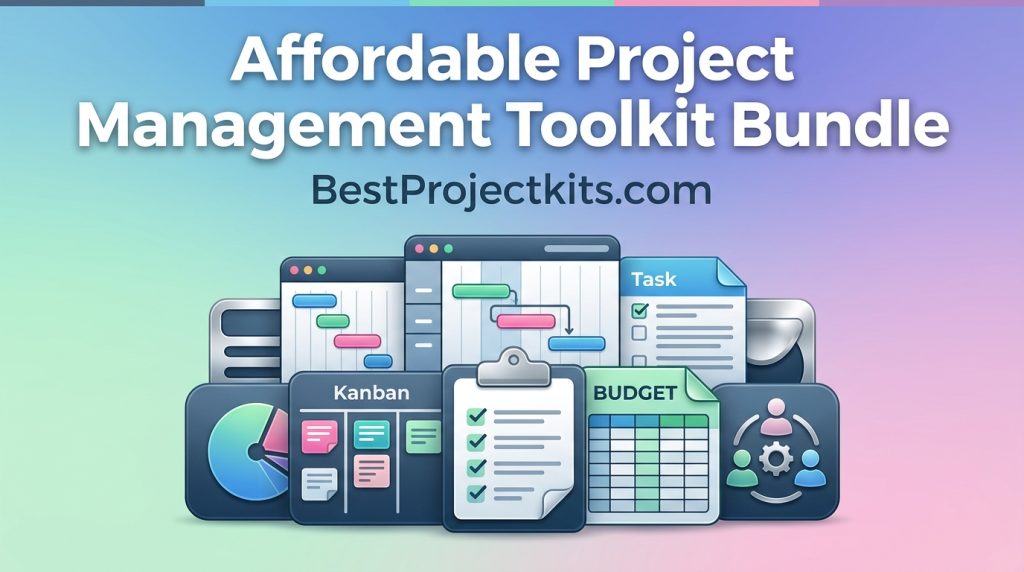
Not all project templates are created equal. Some toolkits give you generic documents that still require substantial rework. The templates that actually save time are the ones built with the right fields, formulas, and structure already in place. Here are the core components every serious project manager should have on hand.
1. Project Kickoff and Scope Templates
A strong project kickoff presentation template captures everything in one place: what is in scope, what is explicitly out of scope, the project structure, the timeline overview, identified risks, budget summary, logistics, and clearly defined next steps. Having this pre-built means your kickoff meetings are structured, professional, and cover every item stakeholders need to align on before work begins. A project scope verification checklist paired with this ensures nothing gets missed during initiation.
2. Gantt Charts and Project Timeline Templates
Gantt charts are one of the most universally used tools in project management, and having a pre-built template means you skip straight to entering your tasks and dates instead of building the chart logic from scratch. A good Gantt template handles task dependencies, milestone markers, and timeline visualization automatically. Pair this with a project baseline template and you have a clear record of the original plan to track against as the project progresses.
3. RAID Log for Risks, Assumptions, Issues, and Dependencies
The RAID log is one of the most underused tools in project management, and it is also one of the most valuable. A pre-formatted RAID log keeps your risks, assumptions, issues, and dependencies organized in a single document that the whole team can reference. Without it, these critical items end up scattered across emails, meeting notes, and memory — which is exactly how projects get derailed.
A proper risk assessment matrix template paired with your RAID log gives you a visual priority system so you can immediately see which risks need immediate attention versus which ones can be monitored over time.
4. Work Breakdown Structure (WBS) Templates
A Work Breakdown Structure breaks your entire project into manageable components, making it far easier to assign resources, estimate costs, and track progress at a granular level. A pre-built WBS template gives you the hierarchical framework already structured, so you only need to populate it with your project-specific deliverables. This single template can reduce scope creep significantly because everyone on the team has a clear, visual map of exactly what is and is not included in the project.
5. Budget Tracking and Cost Performance Templates
Budget overruns are one of the top reasons projects fail, and most of those overruns are traceable to poor tracking, not poor planning. A project budget tracking dashboard gives you real-time visibility into where money is going, while a Cost Performance Report shows you whether you are getting the expected value from every dollar spent. These templates work together to give you both the detail and the big picture at the same time.
A resource utilization report rounds out your financial toolkit by showing you whether your team is over-allocated, under-utilized, or right on target — a detail that affects both your budget and your delivery timeline.
Advanced Tools That Separate Good PMs From Great Ones
Core templates handle the foundation, but the tools that truly elevate your project management practice are the ones that give you analytical power. These are the tools that help you answer the harder questions: Are we delivering value for what we are spending? Is this sprint on track? What does the data say about our project health right now?
The gap between a good project manager and a great one often comes down to visibility. Great PMs do not just track tasks — they track performance, forecast outcomes, and communicate project health with confidence. The right advanced templates make that possible without requiring a data analyst on your team.
Earned Value Management (EVM) Charts
An Earned Value Management chart is one of the most powerful tools in a project manager’s arsenal. It combines scope, schedule, and cost data into a single performance picture, showing you not just where you are, but where you are headed. A pre-built EVM chart template calculates key metrics automatically — including Cost Performance Index (CPI), Schedule Performance Index (SPI), and Estimate at Completion (EAC) — so you can walk into any stakeholder meeting with hard numbers that tell the real story of your project’s health.
Burndown Charts for Agile and Sprint-Based Projects
For Agile teams, a burndown chart is the daily heartbeat of a sprint. It shows the remaining work against the ideal completion line, immediately flagging when a team is falling behind pace. A pre-built burndown chart template eliminates the setup time so your Scrum Master or PM can update it in minutes after each daily standup. When paired with a sprint planning template and retrospective document, you have a complete Agile delivery system ready to run from day one of any sprint.
Power BI Dashboard Templates for Real-Time Reporting
Stakeholders want visibility without complexity. A Power BI dashboard template built for project reporting gives executives and sponsors a clean, visual snapshot of project status, budget burn, milestone completion, and risk exposure — all in one screen. These templates connect directly to your existing project data, which means your reporting updates in real time rather than requiring manual refreshes before every meeting. For more comprehensive tools, consider exploring the MIT project management toolkit that offers additional resources.
The practical impact here is significant. Instead of spending two to three hours compiling a status report every week, you spend ten minutes reviewing a dashboard that already has everything populated. That time compounds quickly across a portfolio of projects.
AI Prompts Built Specifically for Project Management
AI tools are only as useful as the prompts you feed them. A generic prompt produces generic output. But a prompt that is specifically engineered for project management — written with the right context, structure, and output format — can generate stakeholder updates, risk assessments, meeting agendas, and project summaries that are actually ready to use with minimal editing.
A toolkit that includes over 1,000 AI prompts built specifically for project management is not just a convenience. It is a structural upgrade to how fast you can produce high-quality project documentation. These prompts are pre-tested and formatted for project management contexts, which means you are not experimenting with prompt engineering on a deadline.
How AI Prompts Speed Up Document Creation
The time savings become clear when you look at specific use cases side by side. The difference between writing from scratch and using a purpose-built AI prompt is measured in hours, not minutes.
| Document Type | Time From Scratch | Time With AI Prompt |
|---|---|---|
| Project Status Report | 90 – 120 minutes | 10 – 15 minutes |
| Risk Assessment Summary | 60 – 90 minutes | 8 – 12 minutes |
| Stakeholder Communication Email | 30 – 45 minutes | 3 – 5 minutes |
| Meeting Agenda + Minutes | 45 – 60 minutes | 5 – 8 minutes |
| Change Request Documentation | 60 – 75 minutes | 10 – 12 minutes |
Across a single project, those time savings can add up to dozens of hours recovered. Across a full year of managing multiple projects simultaneously, that is weeks of time returned to actual project leadership rather than document production.
The key is that these prompts are not just shortcuts — they are structured to capture the right information. A well-built AI prompt for a change management plan, for example, will automatically ask for the change description, impact assessment, stakeholder affected, risk level, and approval pathway. You fill in the specifics, and the structure handles the rest.
Where AI Prompts Fit Into Your Existing Workflow
AI prompts work best when they are integrated into the stages where document creation naturally happens: during project initiation when you are building your charter and scope, during planning when you are developing your communication and quality management plans, and during execution when status reports and meeting minutes need to be produced on a regular cadence.
The most effective approach is to pair AI prompts with your template library. Use the template to set the structure and format, and use the AI prompt to rapidly populate the content. Together, they eliminate both the formatting work and the writing work, which are the two biggest time sinks in project documentation.
Contracts and Agreements PMs Often Overlook
Most project managers focus on delivery tools and overlook the contractual and agreement layer that protects both the project and the team. A complete toolkit should include vendor agreement templates, project charter sign-off documents, scope change authorization forms, and service-level agreement (SLA) templates. These documents formalize decisions, create accountability, and provide protection when scope disputes or budget conversations arise later in the project lifecycle. Having them pre-built means you do not skip this step simply because creating the document feels like too much friction.
How This Toolkit Works Across Any Industry
One of the most common concerns project managers have about template-based toolkits is whether the documents will actually fit their industry. The short answer is yes — because the core structure of project management does not change between industries. What changes is the terminology, the specific deliverables, and the regulatory environment. A well-built toolkit accounts for this by including industry-specific variants and templates flexible enough to be customized in minutes.
Construction and Infrastructure Projects
Construction projects involve a level of risk complexity, contractor coordination, and regulatory compliance that requires highly structured documentation. A toolkit built for this environment includes detailed project baseline templates that capture original scope against current progress, resource matrices for subcontractor management, and risk assessment frameworks that account for site-specific hazards and material cost fluctuations.
Earned Value Management is particularly critical in construction, where budget overruns are common and early warning signals can save significant cost. Having a pre-built EVM chart that connects to your budget tracking dashboard gives construction PMs the early visibility they need to course-correct before small variances become expensive problems.
- Project baseline template — tracks original scope and budget against live actuals
- Contractor resource matrix — manages subcontractor allocation and availability
- Site risk assessment framework — identifies and prioritizes site-specific risks
- Cost performance report — monitors spend efficiency across project phases
- Change order authorization template — formalizes scope changes with cost and schedule impact
Together these tools give construction project managers a complete command center that operates consistently across every project, regardless of size or complexity.
IT, Software, and Agile Teams
Software and IT projects move fast, and the documentation layer needs to keep up without slowing the team down. Agile teams benefit most from sprint planning templates, burndown charts, retrospective frameworks, and backlog management tools that are already formatted and ready to run. A pre-built sprint velocity tracker, for example, gives Scrum Masters immediate insight into team capacity without building the calculation logic from scratch every quarter.
For IT infrastructure projects that follow a more traditional Waterfall approach, the toolkit delivers structured project initiation documents, change management plans, quality management frameworks, and technical resource matrices. Whether your team runs Scrum, Kanban, SAFe, or a hybrid model, the templates flex to fit your methodology rather than forcing you to work around them.
Marketing, Finance, and Healthcare Applications
Marketing project managers deal with high-volume, fast-turnaround deliverables across multiple stakeholders simultaneously. Campaign planning templates, creative brief frameworks, and stakeholder communication plans built into the toolkit mean campaign launches are organized, tracked, and reported consistently. Finance teams benefit from audit-ready budget tracking dashboards, cost performance reports, and benefits realization plans that align with reporting requirements. In healthcare, where compliance documentation is non-negotiable, having pre-structured quality management plans, risk registers, and project evaluation scorecards ensures nothing critical is missed in high-stakes project environments.
The Toolkit That Pays for Itself on the First Project
- 3,500+ done-for-you project management templates covering every phase of the project lifecycle
- 1,000+ AI prompts built specifically for project management tasks and document generation
- 50+ template categories spanning planning, execution, monitoring, closure, and stakeholder management
- 20+ industry variants including construction, IT, marketing, finance, and healthcare
- Agile and Waterfall compatibility so the toolkit works regardless of your delivery methodology
- One-time payment, lifetime access with no recurring subscription fees
- Instant download access so you can start using templates on your current project today
The math is straightforward. If you recover just five hours per project using pre-built templates and AI prompts instead of building documents from scratch, and you manage even six projects per year, that is 30 hours returned to actual project leadership annually. For most project managers, the time savings on a single project alone cover the entire cost of the toolkit.
Beyond the time savings, there is a consistency benefit that is harder to quantify but equally valuable. When every project in your portfolio uses the same structured templates, your stakeholders know what to expect, your team knows how to read reports, and your documentation quality becomes a professional standard rather than a variable. That consistency builds trust — with your team, with your clients, and with the executives who depend on your project reporting to make business decisions.
Whether you are a solo project manager handling multiple initiatives, a PMO standardizing processes across a team of PMs, or someone who just got handed their first major project, a complete toolkit removes the friction that slows projects down before they even start. You open the template, enter your project details, and move. That is what project management should feel like.
Frequently Asked Questions About A Project Management Toolkit Bundle
Project managers evaluating a toolkit want to know exactly what they are getting and whether it will work in their specific context. The questions below cover the details that matter most before committing.
These answers apply specifically to the complete project management toolkit bundle available at BestProjectKits.com, which includes templates, AI prompts, and industry-specific assets across 50+ categories.
What is included in the Ultimate Project Management Toolkit?
The toolkit includes 3,500+ project management templates across 50+ categories and 20+ industries, plus 1,000+ AI prompts built specifically for project management tasks. Templates cover every phase of the project lifecycle including initiation, planning, execution, monitoring, and closure. Specific assets include Gantt charts, WBS templates, RAID logs, EVM charts, budget tracking dashboards, stakeholder communication plans, change management plans, quality management frameworks, sprint planning tools, burndown charts, project kickoff presentations, resource matrices, and much more — all ready to open, edit, and deploy on your next project.
Do I need to be a senior project manager to use these templates?
No. The templates are designed to be immediately usable regardless of your experience level. If you are new to project management, the pre-built structure guides you through what information is needed at each stage, which actually accelerates your learning. If you are an experienced PM or PMO leader, the templates save you the setup time you would normally spend building documents you already know how to create. The toolkit serves both ends of the experience spectrum equally well.
Can these templates be customized for my specific industry?
Yes. The toolkit includes industry-specific variants across 20+ industries including construction, IT, software development, marketing, finance, and healthcare. Beyond the pre-built variants, every template is fully editable, meaning you can adjust field labels, add industry-specific terminology, modify risk categories, and restructure any document to match your organization’s standards. The templates provide the structure; you control the specifics.
What software do I need to use these project management templates?
The templates are built to work with widely available tools that most project managers already use. Spreadsheet and dashboard templates are compatible with Microsoft Excel and Google Sheets. Presentation templates work with Microsoft PowerPoint and Google Slides. Document templates open in Microsoft Word and Google Docs. No specialized or expensive project management software license is required to access, edit, or deploy the templates. Power BI dashboard templates do require a Power BI account for the live reporting functionality, but the core template library has no additional software requirements beyond the standard Microsoft Office or Google Workspace tools.
Is this a subscription or a one-time purchase?
It is a one-time payment with lifetime access. There are no monthly fees, no annual renewal costs, and no tiered pricing that locks advanced templates behind a higher subscription tier. You pay once, you get full access to the entire library instantly, and you retain access permanently including any future updates added to the collection.
This is one of the key differentiators from SaaS-based project management platforms that charge per user per month. For individual project managers or small teams, the cost efficiency of a one-time toolkit purchase versus an ongoing subscription adds up quickly over the course of a year.
Are you ready to stop rebuilding the same documents on every new project and start managing with a consistent, professional toolkit behind every decision?
Then BestProjectKits.com gives you everything you need in one place, with one payment, and no starting from scratch ever again.
===========================================================================
ABOUT THE AUTHOR
Gerard Mohamed is a project management expert with over 30 years of hands-on experience managing high-stakes projects in the petrochemical and marine engineering sectors.
He holds an MBA from Business School Netherlands and a BCom (Hons) with dual majors in Project Management and Advanced Marketing. As a qualified Marine Engineer, Gerard serves as Chairman of the Cape Branch of the South African Institute of Marine Engineers and Naval Architects (SAIMENA) and sits on their National Executive Committee.
Gerard is a fully accredited Facilitator and Assessor for Project Management under South Africa’s SETA and QCTO, and teaches Project Management part-time at two leading business colleges.
After decades of struggling to find practical, field-tested project templates, he created BestProjectKits.com — a comprehensive library of 3,500+ professionally designed templates that solve real-world project challenges across 20+ industries.
→ Explore the complete template library at BestProjectKits.com
→ Connect with Gerard: [admin@bestprojectkits.com]
=========================================================================